





 +91 88949 00142
 +1 (307) 435-9605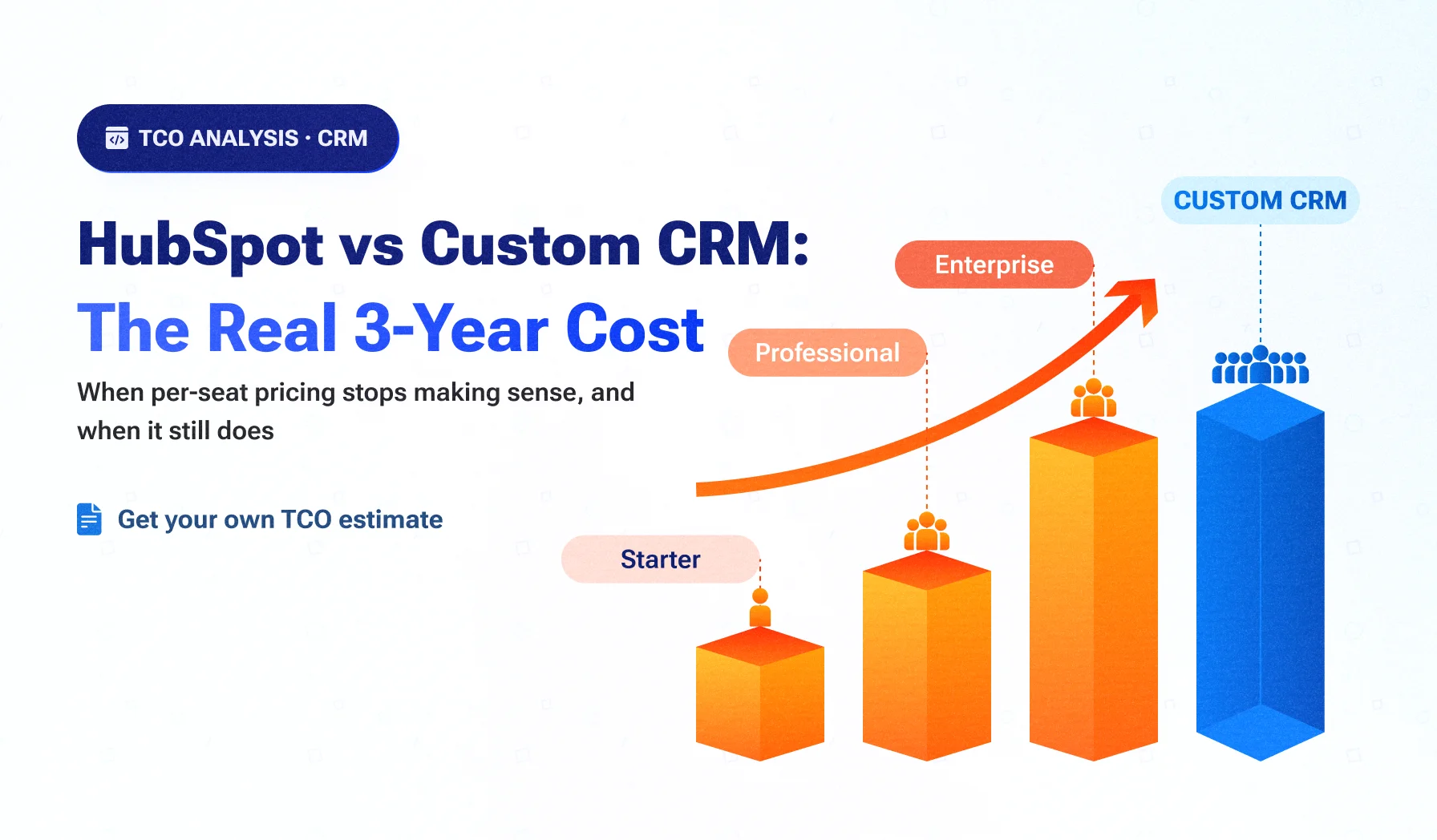
- HubSpot is priced per seat, with mandatory onboarding fees on Professional and Enterprise tiers, so cost rises with every rep you hire.
- In our model, HubSpot stays cheaper for roughly 25–40 Sales Hub Professional seats; costs converge around 50 seats with Marketing Hub; a custom CRM is far cheaper at 75 Enterprise seats.
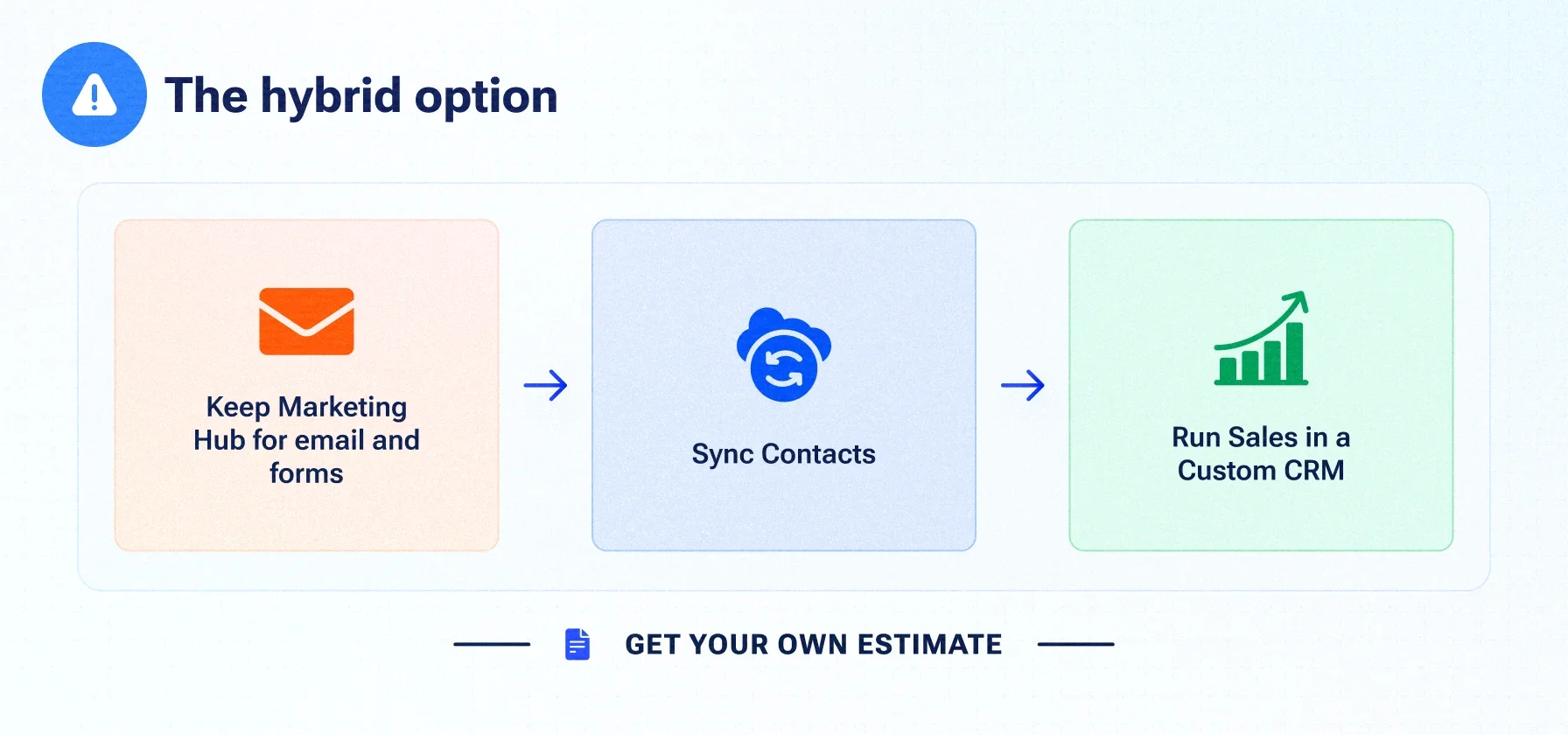
- Many mid-market teams get the best of both by keeping HubSpot Marketing Hub and moving sales to a custom CRM.
- Workflows, sequences and reports don't migrate as logic; plan to rebuild them, and run both systems in parallel before cutover.
HubSpot is often the right first CRM: quick to start, easy to use and strong at marketing. The question mid-market B2B companies ask a few years later is different. With 30, 50 or 100 sales seats, an Enterprise upgrade on the table and AI features billed by credits, does it still make sense to rent the CRM, or is it time to own one?
This analysis compares three years of HubSpot costs with a custom CRM at three team sizes, and shows where each option wins.
CRM TCO series
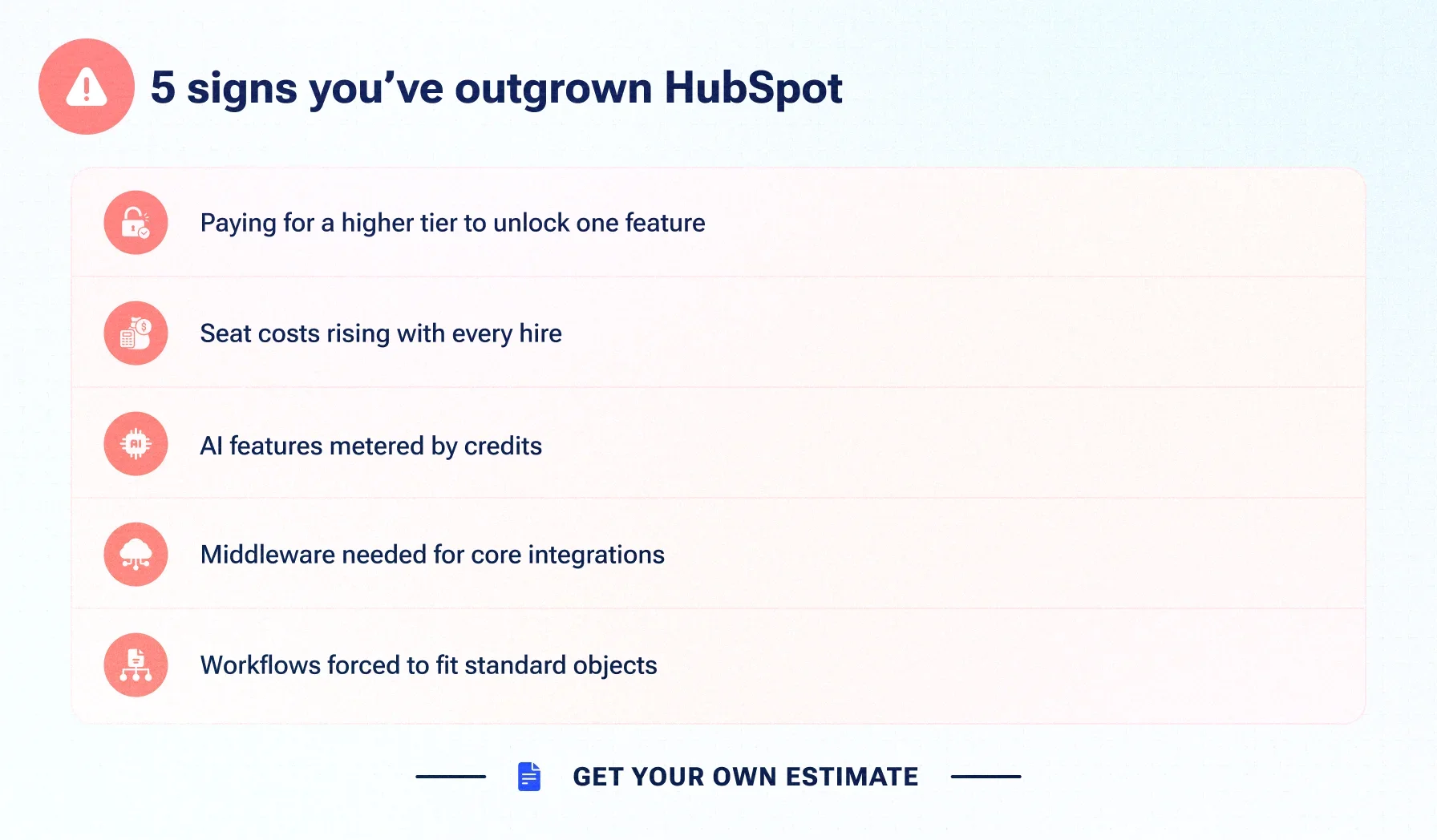
Signs you're outgrowing HubSpot
Signs you're outgrowing HubSpot
- You need a higher tier to unlock one feature, and pay for it on every seat.
- Seat costs rise with every sales hire, while most reps use a fraction of the features.
- AI features are metered by credits, making monthly costs harder to predict.
- Core integrations with your ERP, billing or product data run through middleware.
- Your process is bent to fit standard objects, permissions or reporting limits.
One sign alone rarely justifies a move. Three or more, combined with a growing team, is when the numbers below start to matter.
What HubSpot costs in 2026
HubSpot list prices at the time of writing (October 2026), from HubSpot's own pricing guide and product catalog:
| Product | Price (billed annually) | Mandatory onboarding |
|---|---|---|
| Sales Hub Starter | USD 15 per seat per month (USD 20 billed monthly) | None |
| Sales Hub Professional | USD 90 per seat per month (USD 100 billed monthly) | USD 1,500 one-time |
| Sales Hub Enterprise | USD 150 per seat per month | USD 3,500 one-time |
| Marketing Hub Professional | About USD 800 per month including 3 seats, plus marketing-contact tiers | USD 3,000 one-time |
| Marketing Hub Enterprise | About USD 3,600 per month including 5 seats, plus marketing-contact tiers | USD 7,000 one-time |
On top of list prices, budget for: marketing-contact tier increases, HubSpot Credits for AI features beyond the included allowance, add-ons, calling minutes, and consultant or admin time. Check hubspot.com/pricing for current figures; HubSpot changes packaging regularly.
What a custom CRM costs
A custom CRM has no seat fees. Its costs are:
- Discovery and build, including data migration: a one-time investment driven by the number of pipelines, objects, integrations, permissions and AI features.
- Hosting: cloud infrastructure, which grows slowly with data and usage, not with seats.
- Support and enhancement: a monthly retainer covering monitoring, security patches, fixes and new features.
- Supporting services: for example an email-sending service for sequences and notifications.
Illustrative assumptions used in this model (replace with your own quote):
USD 60,000–120,000
Discovery and build, including data migration
USD 300–1,000
Hosting per month
USD 1,500–4,000
Support and enhancement per month
Three-year total: USD 124,800–300,000, largely independent of seat count.
The 3-year TCO comparison
HubSpot figures use annual-billing list prices and exclude discounts, price increases, contact tiers, credits and add-ons. Custom CRM figures use the illustrative assumptions above.
Scenario 1: 25 Professional seats, growing to 40
| Year | Seats | HubSpot Sales Hub Professional |
|---|---|---|
| 1 | 25 | USD 27,000 + USD 1,500 onboarding |
| 2 | 32 | USD 34,560 |
| 3 | 40 | USD 43,200 |
| TOTAL |
USD
|
106,260
|
Custom CRM : USD 124,800–300,000.
Scenario 2 : 50 Professional seats plus Marketing Hub Professional
Sales Hub: USD 54,000 per year × 3 + USD 1,500 = USD 163,500. Marketing Hub: USD 9,600 per year × 3 + USD 3,000 = USD 31,800. HubSpot total: about USD 195,300 before contact tiers and credits. Custom CRM: USD 124,800–300,000.
Scenario 3 : 75 Enterprise seats
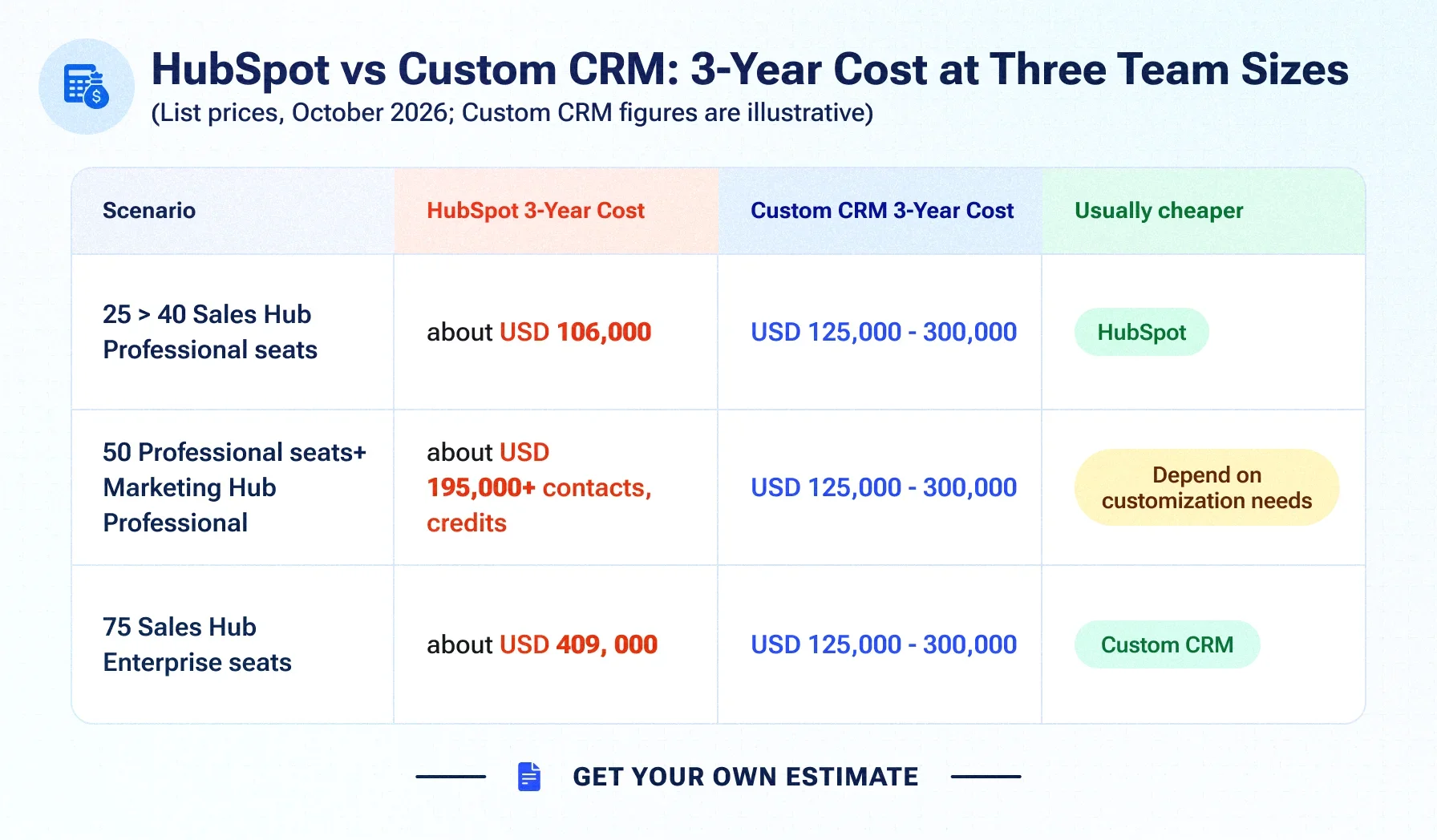
USD 135,000 per year × 3 + USD 3,500 = USD 408,500. Custom CRM: USD 124,800–300,000.
Costs people miss on both sides
| HubSpot | Custom CRM |
|---|---|
| Tier jumps to unlock single features, applied to every seat | Product ownership: someone must prioritise the roadmap |
| Marketing-contact tier increases | Security patching and monitoring (covered by a support retainer) |
| AI credits beyond included allowances | Email sending and deliverability infrastructure |
| Admins or consultants to maintain workflows | User adoption and training at launch |
| Middleware for integrations | Rebuilding reports and automations during migration |
The hybrid option : keep Marketing Hub, own the sales CRM
Many mid-market teams don't need an all-or-nothing switch. A common pattern keeps HubSpot Marketing Hub for email, forms and landing pages, moves sales pipelines and deal management to a custom CRM, and syncs contacts and lifecycle stages in both directions through HubSpot's APIs.
You remove per-seat sales costs without rebuilding marketing tools your team already knows. In Scenario 2, this means paying for Marketing Hub (about USD 31,800 over three years) plus the custom CRM, with no Sales Hub seats.
How to migrate from HubSpot without disruption
Migration plan
- Audit: list objects, custom properties, associations, pipelines, workflows, sequences, reports and integrations.
- Design: map HubSpot objects to the new data model and decide which automations to rebuild, simplify or drop.
- Build: develop the CRM in sprints, with your sales team reviewing each demo.
- Migrate data: export records and use HubSpot's APIs for associations and activity history; test in staging until counts and relationships match.
- Run in parallel: keep both systems live for a defined period to confirm nothing is lost.
- Cut over and train: switch, train users and monitor adoption.
Records and properties export cleanly; workflows, sequences and reports do not migrate as logic and must be rebuilt.
Decision scorecard: should you replace HubSpot?
Answer yes or no:
Should you replace HubSpot?
- Will you have more than 50 paid sales seats within three years?
- Are you on, or about to move to, an Enterprise tier?
- Do core processes need custom objects, permissions or logic HubSpot handles poorly?
- Do you rely on middleware for key integrations?
- Are AI credit costs growing faster than the value they deliver?
- Do you want to own your CRM data model and roadmap?
- Can someone own the CRM product internally?
Five or more "yes" answers: a custom CRM, or the hybrid model, deserves a detailed TCO. Two or fewer: stay on HubSpot and revisit next year.
When staying on HubSpot is the right call
Stay if your team is small or growing slowly, your process fits HubSpot's standard objects, and you depend heavily on its marketing tools. A custom CRM is an investment in ownership; it pays off when scale or complexity makes renting more expensive than owning.
Custom CRMs built for your industry
Industry workflows are often the real reason teams outgrow HubSpot's standard objects. Three common cases:
- Banking and finance: custom banking CRM software with role-based access, audit trails, and integrations with core banking and billing systems. See finance and banking software development.
- Healthcare and insurance: patient or policyholder CRMs with appointment automation and secure data handling. See the appointment and insurance case study and healthcare software development.
- Logistics: CRMs connected to dispatch, tracking and carrier data. See the Turbo Trans logistics case study.
How Suave Creators builds HubSpot replacements
Suave Creators builds custom CRMs for mid-market B2B teams, designed around your pipelines, permissions and integrations, with AI features built in rather than billed per credit. We can keep HubSpot Marketing Hub connected through a two-way sync, migrate your data with a parallel run, and integrate the CRM seamlessly with your ERP, billing and product systems.
You own 100% of the code and data, and delivery runs in transparent two-week sprints with direct access to senior architects. Explore custom CRM development, compare our Custom CRM vs Salesforce TCO analysis, read bespoke CRM engineering for mid-market SaaS replacement, or see the outreach CRM case study.