





 +91 88949 00142
 +1 (307) 435-9605
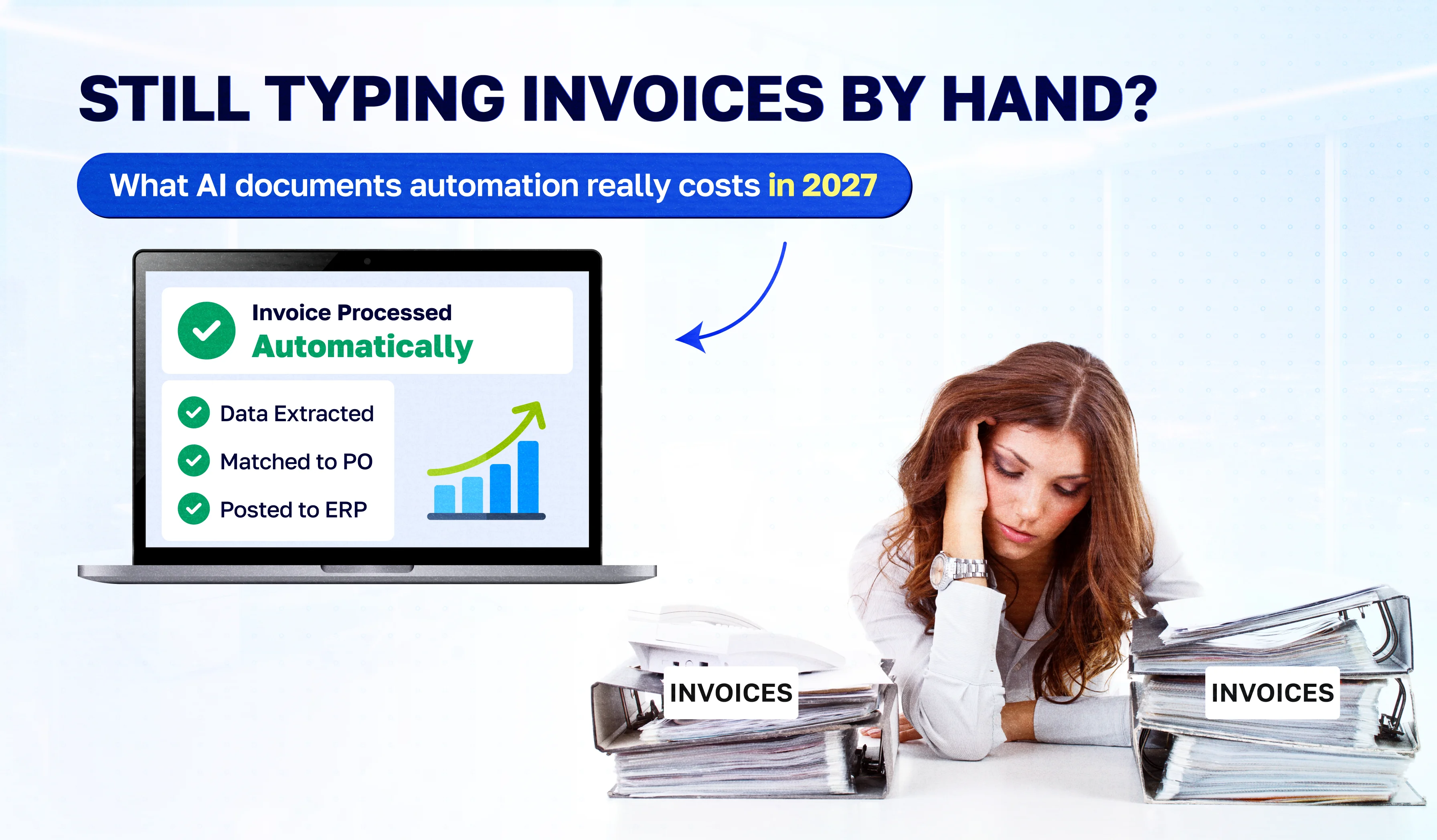
It is the last week of the month. Someone on your finance team has 300 PDF invoices open in one window and your accounting software in the other. They type the vendor name, the invoice number, the date, the tax amount, and every line item. Then they check it twice, because one wrong digit means a wrong payment.
Nobody hired them to do this. Yet manual invoice entry still eats days of skilled time every month, and it is the work your team dreads most.
AI document automation can now read those invoices for you. The question most business owners ask next is simple: what does it actually cost, and will it pay for itself? This guide gives you real 2027 prices, a worked example, and an honest view of when automation is not worth it.
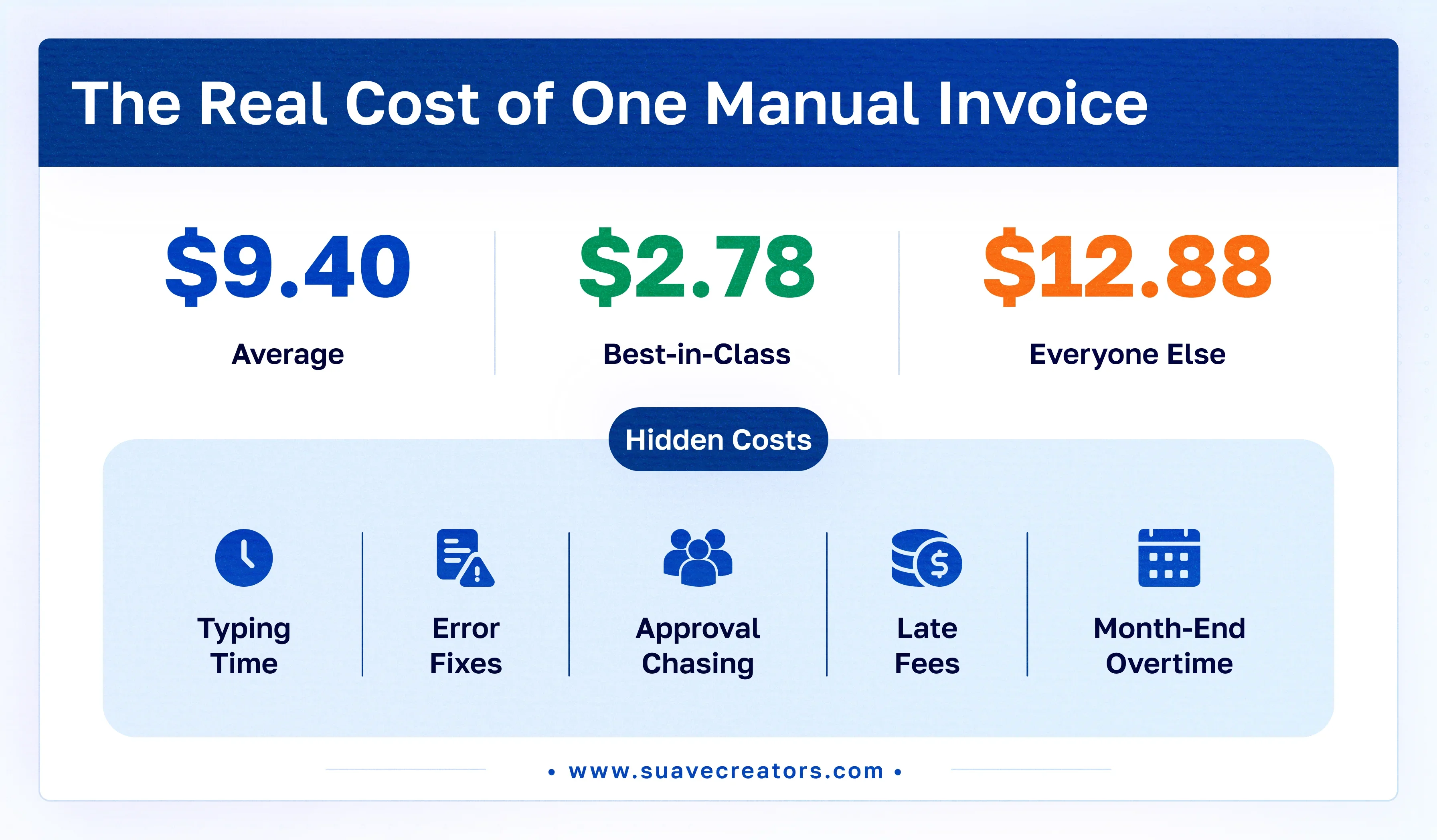
$9.40
Average cost to process one invoice (Ardent Partners, 2025)
$2.78
Best-in-class cost per invoice
~$0.01
Cloud AI reading cost per page (AWS Textract, Azure)
Key facts
- Cloud AI services charge about $0.01 per page, or $10 per 1,000 pages, to read an invoice. Google's invoice parser charges $0.10 per document of up to 10 pages.
- Ready-made tools add a subscription. A custom system connected to your ERP adds a one-off build cost, usually recovered once volume passes a few hundred invoices a month.
- What still needs a person: low-confidence fields, new vendors, approvals, and exceptions.
How Much Does It Cost to Process an Invoice by Hand?
The typing is the cheap part. The real cost of one invoice includes staff time, checking, chasing approvals, fixing errors, and overhead. Ardent Partners' 2025 benchmark puts the average at $9.40 per invoice. Best-in-class teams, the 20% with the lowest costs and fastest cycle times, average $2.78, and everyone else averages $12.88 (Tipalti summary of Ardent Partners, 2025).
Other studies come out higher. One summary of APQC data puts the median at $21.40, and Ardent gives a range of $15 to $40 for mostly manual teams (Lido). The figures differ because each study counts costs differently, so compare your own number against one benchmark only.
The hidden costs nobody budgets for
- Errors. A wrong digit becomes a wrong payment, a duplicate payment or a missed early-payment discount.
- Late-payment fees and supplier frustration. Invoices sit in an inbox until someone has time to type them.
- Month-end crunch. Your finance team does data entry when it should be closing the books and analyzing spend.
- Hiring to keep up. Invoice volume grows with the business, and manual entry only scales by adding people.
- No visibility. Until an invoice is typed in, you can't see what you owe.
Work out your own cost (simple formula): Monthly manual cost = invoices per month × minutes per invoice ÷ 60 × loaded hourly cost.
Example: 800 invoices a month × 8 minutes ÷ 60 × $25 an hour = about $2,670 a month in entry time alone, before errors and approvals. (Illustrative figures: swap in your own.)
How Does AI Invoice Processing Work?
Old OCR only turned a scan into text, and you still had to say which number was the total. Modern AI, often called intelligent document processing (IDP), understands the layout. It finds the vendor, the invoice number, the dates, the tax, and each line item, even on a format it has never seen.
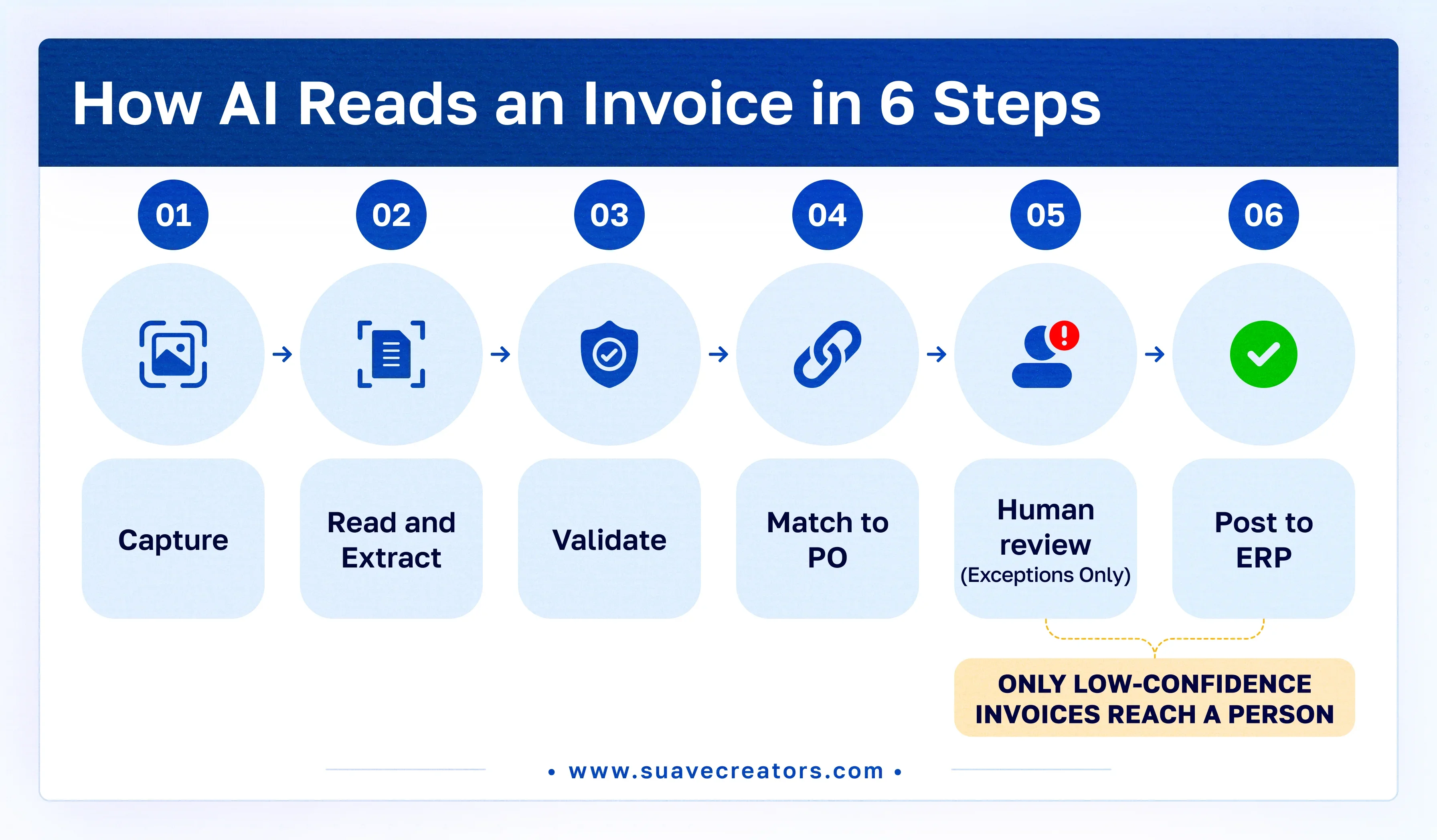
A typical flow has six steps:
- Capture. Invoices arrive by email, upload, a shared folder or a scanner. The system collects them automatically.
- Read and extract. An AI model reads each PDF, photo or scan and pulls out the fields with a confidence score for each one.
- Validate. Rules check the result: does the total add up, is the tax rate right, is this vendor in your system, has this invoice number been paid before?
- Match. The invoice is matched to its purchase order and goods receipt (two- or three-way matching).
- Human review for exceptions only. Any field below the confidence threshold, or any failed rule, goes to a person in a simple review screen. Everything else continues.
- Post and approve. Clean data goes into QuickBooks, Xero, Tally, Zoho Books, SAP or your ERP, and the approval workflow starts.
Try it on your own invoices. We'll run 10 of your real invoices through a pilot setup and show you the extracted data. Book a free demo.
What Does AI Invoice Processing Cost in 2027?
You pay for three things: the AI that reads each page, the software around it (review screens, rules, approvals, and integrations), and setup. Here is what each option costs at list price, checked in October 2027.
Reading cost: cloud AI services
| Service | List price | Cost for 1,000 one-page invoices | Source |
|---|---|---|---|
| Amazon Textract (Analyze Expense) | $0.01 per page for the first 1M pages a month; $0.008 after that | about $10 | SuperDupr, citing AWS |
| Azure AI Document Intelligence (prebuilt invoice) | about $10 per 1,000 pages; 500 pages a month free | about $10 | ERP Research |
| Google Document AI (Invoice parser) | $0.10 per document of up to 10 pages | about $100 | Google Cloud |
Note: Google charges per document, not per page, so one-page invoices cost 10 times more there than multi-page batches. Azure's official page did not show figures when checked, so confirm in the Azure calculator before publishing.
Full cost by approach
| Approach | What you pay | Good for | Watch out for |
|---|---|---|---|
| Cloud API only | About $10–100 per 1,000 invoices, plus developer time to connect it | Teams with in-house developers | No review screen, approvals or ERP sync out of the box |
| Ready-made IDP tool (for example Nanonets) | Starter plan: $50 free credits, then $100 a month for 100 credits; $0.10 per standard AI run. Higher plans are quote-based | Standard invoices, fast start | Per-run fees grow with volume; limited custom rules |
| AP automation suite | Usually quote-based, per user or per invoice | Teams wanting payments and approvals in one product | Less control over workflow; another subscription |
| Custom build connected to your ERP (Suave Creators) | One-off build plus hosting and support, with AI usage at cost | Mixed formats, custom rules, Tally/SAP/ERP sync, high volume | Higher upfront cost; needs a clear scope |
Newer option: large language models. Models such as GPT and Claude can read invoices directly and are billed per token rather than per page. They handle messy layouts well, but costs vary by model and document length, so estimate them on a sample before committing.
Will Invoice Automation Pay for Itself? A Worked Example
Illustrative example. The inputs are assumptions, not client data. Replace them with your own.
A distributor receives 800 one-page invoices a month. Entry takes 8 minutes per invoice at a loaded cost of $25 an hour.
| Cost line (per month) | Manual | With AI automation |
|---|---|---|
| AI reading (800 pages at about $0.01) | $0 | about $8 |
| Staff time on entry | about $2,670 (107 hours) | $0 |
| Staff time on exceptions (assume 15% reviewed, 3 minutes each) | included above | about $150 (6 hours) |
| Hosting and support | $0 | monthly support fee |
| Total | about $2,670 | about $158 + support |
In this example, the team gets back about 100 hours a month. To find the payback period, divide the one-off build cost by the monthly saving: payback (months) = build cost ÷ (manual cost − automated cost).
Should You Buy an Invoice Automation Tool or Build a Custom One?
- Buy a ready-made tool if your invoices are standard, you use a popular accounting package such as QuickBooks or Xero, and volume is steady.
- Build custom if you have many vendor formats or languages, line-item rules, an ERP such as SAP or Tally that tools connect to poorly, or volume high enough that per-run fees add up.
- Mix both: use a cloud API for reading and build only the rules, review screen and ERP sync. This is often the cheapest route at scale.
When automation is not worth it
Be honest about this part. If you process fewer than about 100 invoices a month from a handful of regular suppliers, a ready-made tool's free tier, or even careful manual entry, may cost less than any build. Automation also fails when vendor data in your system is messy, so clean it first.
How Suave Creators Automates Invoice Processing
We build invoice and document automation as part of our AI document automation services. Every project starts small.
- Free invoice audit. Send us 10–20 real invoices. We measure what share AI reads correctly and estimate your monthly running cost.
- Fixed-price pilot (2–6 weeks). We build capture, extraction, validation rules and a review screen for one invoice type, then connect it to your accounting system.
- Production rollout. We add more document types (purchase orders, receipts, delivery notes), approval workflows, dashboards, and audit logs.
What you get:
- Integration with QuickBooks, Xero, Zoho Books, Tally, SAP or a custom ERP
- A review screen for exceptions, so your team checks only what needs checking
- Duplicate-invoice and tax checks
- Full ownership of the code, configuration and data
Prefer your own team to run it? You can hire dedicated developers from Suave Creators. They are full-time Suave Creators staff, contracted through our US entity, with daily overlap with US mornings. You interview them before you commit.