





 +91 88949 00142
 +1 (307) 435-9605
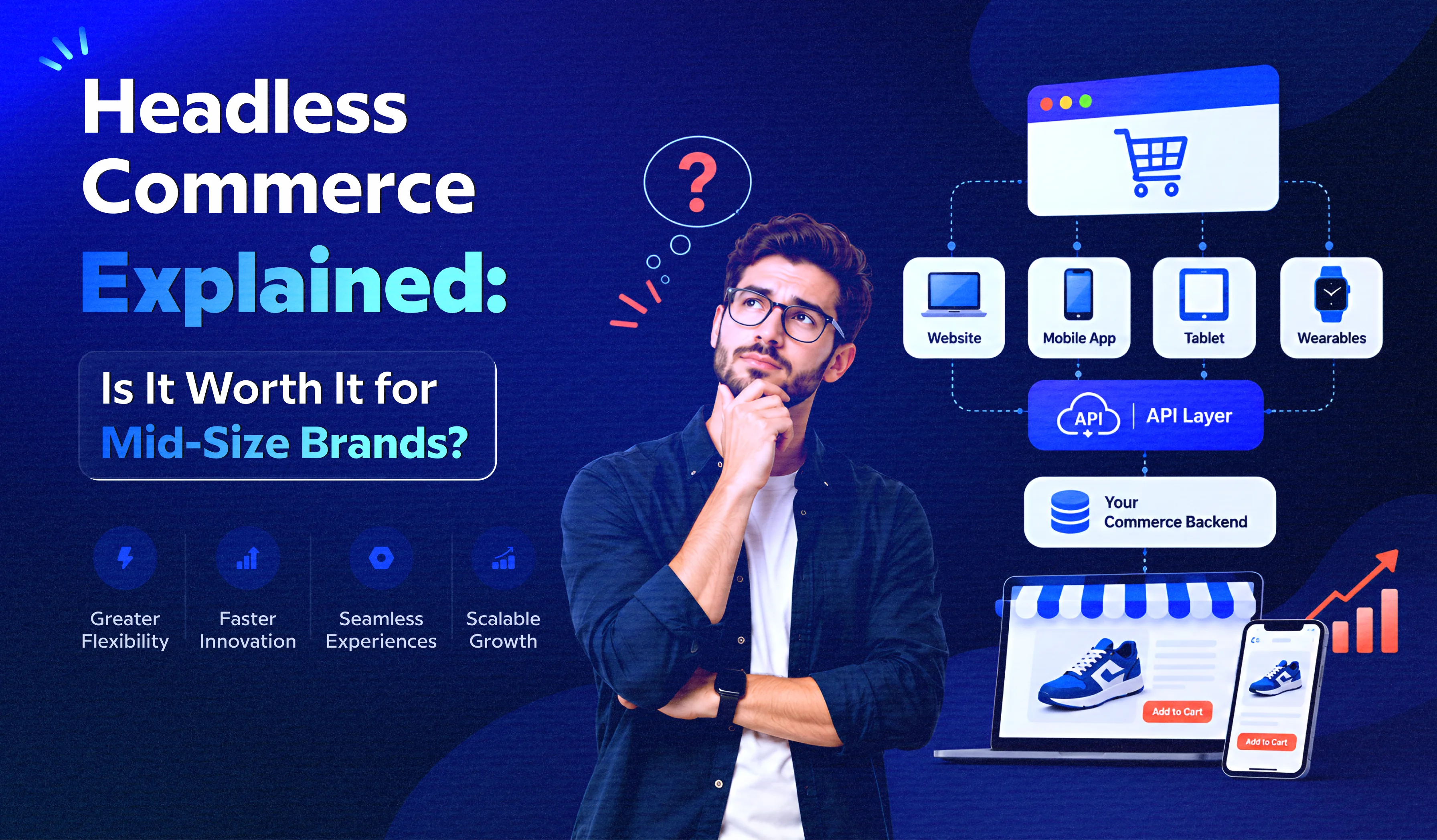
Headless commerce separates the storefront that customers see from the commerce engine that runs products, carts, orders and payments, and connects them through APIs. It is worth it for a mid-size brand when several storefronts or channels share one catalog, or when the platform's templates block growth and the team can maintain a custom frontend.
Key points
- Headless commerce separates the storefront from the commerce engine and joins them through APIs.
- It pays off when two or more storefronts or channels share one catalog and a team owns the frontend.
- Most mid-size brands should move in phases, starting with a new frontend on their current platform.
Headless has gone from an enterprise experiment to a common option. Analysts put the headless commerce market between USD 2.13 billion and USD 2.41 billion in 2026, growing roughly 21 to 23% a year (Netguru summary of Coherent Market Insights and Mordor Intelligence). But a growing market does not mean every store should switch. This guide explains how headless works, what it changes, what it costs to run, and how to decide in about 10 minutes.
What Is Headless Commerce?
Headless commerce is an ecommerce setup where the frontend (the "head": website, app, kiosk) is built separately from the backend commerce engine and talks to it through APIs. In a traditional store, the theme and the engine are one system. In a headless store, you can redesign the website, add a mobile app or open a new sales channel without touching how products, prices and orders work.
How Does Headless Commerce Work?
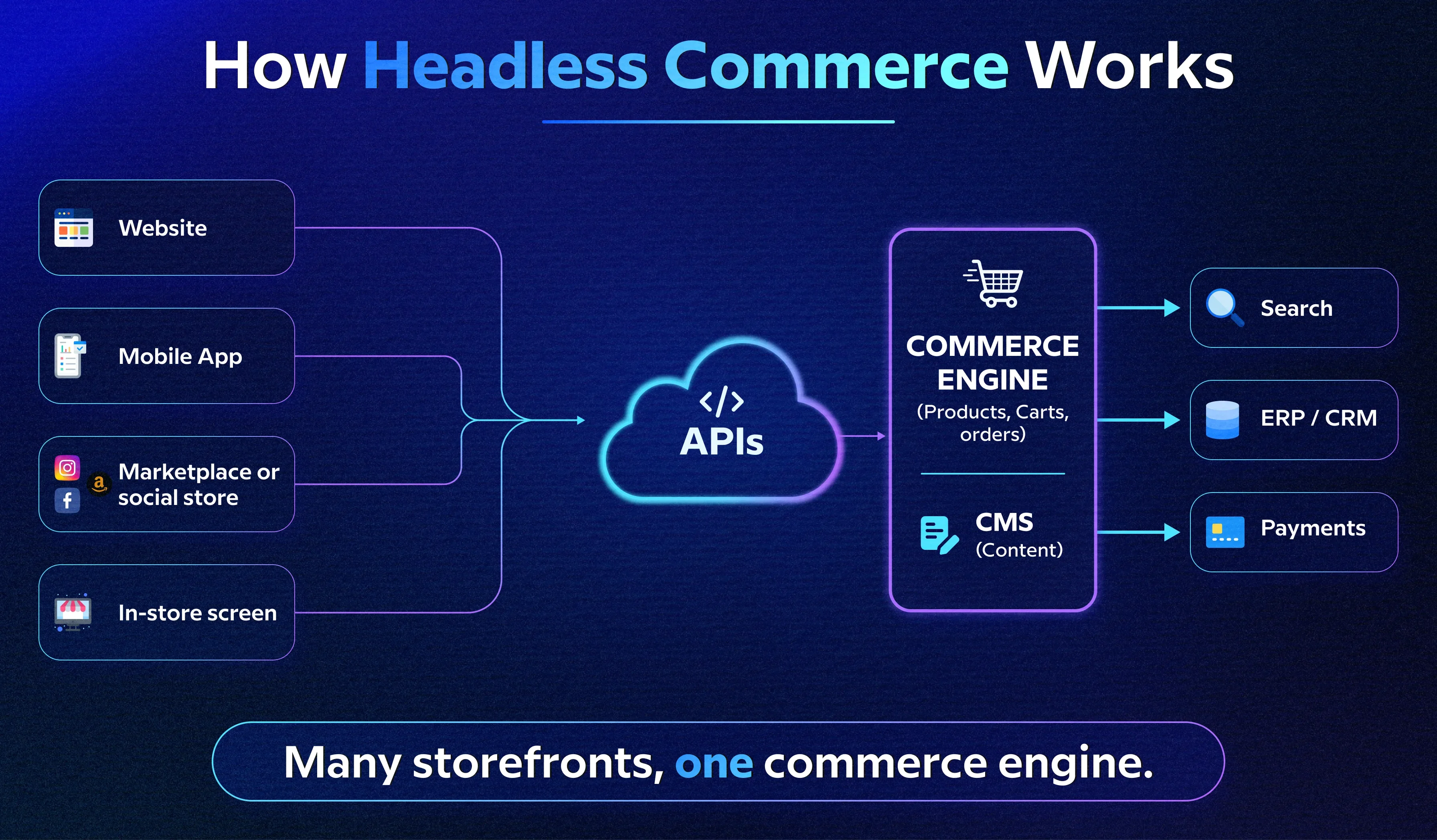
Three pieces make a headless store run:
- The frontend. The storefront your customers use, usually built with a JavaScript framework such as Next.js, Nuxt or React Native for apps. It controls design, speed and the buying experience.
- The commerce backend. The engine that stores products, prices, stock, customers, carts, orders and payments. It can be Shopify, BigCommerce, commercetools, Medusa or a custom backend.
- The APIs in between. The frontend asks the backend for data ("show this product", "add to cart", "place order") through APIs. Other systems plug into the same APIs: a content management system for pages, a search service, your ERP, CRM and payment providers.
Headless vs Traditional Ecommerce: What Changes?
The main change is where the storefront lives: in a traditional store, the theme and the engine are one system, while in a headless store, they are separate and joined by APIs.
| Aspect | Traditional (monolithic) | Headless |
|---|---|---|
| How it's built | Theme and engine in one system | Frontend and engine separate, joined by APIs |
| Design freedom | Limited by the theme and platform | Any design, any framework |
| New channels | Add-ons or a second store | Same backend serves every channel |
| Speed | Depends on theme and plugins | Usually faster when built well |
| Launch time | Weeks | Months |
| Team you need | Store admin, occasional developer | Frontend developers who own the storefront long term |
| Running cost | Lower | Higher: hosting, integrations and frontend upkeep |
| Best for | Most new and growing stores | Multi-channel, multi-brand or complex brands |
Headless, Composable and MACH: What's the Difference?
- Headless splits the frontend from the backend.
- Composable commerce goes further: you pick separate services for each job (cart, search, content, promotions) and connect them.
- MACH (Microservices, API-first, Cloud-native, Headless) is a set of principles for building composable systems, promoted by the MACH Alliance.
Every composable store is headless. Not every headless store is composable; many simply put a custom frontend on Shopify or BigCommerce.
Which Businesses Benefit Most From Headless Commerce?
Headless helps most when one catalog has to serve many buyers, brands or screens. Four types of businesses see the clearest gains:
- Multi-brand companies that run several storefronts with different designs but shared products, stock and fulfillment.
- B2B and wholesale sellers that need account-specific catalogs, contract pricing and quick reordering alongside a consumer store.
- Content-led brands whose buyers read guides, watch videos or browse lookbooks before they buy, and whose marketers need a real CMS.
- International sellers that run different languages, currencies and tax rules from one backend.
A single-brand store selling in one country rarely sees enough of these gains to cover the extra running cost.
What Are the Benefits of Headless Commerce?
The five main benefits of headless commerce are design freedom, faster pages, one catalog for many channels, the ability to change one part at a time, and content and commerce working together.
- Design without limits. Build the exact buying experience your brand needs, not what the theme allows.
- Faster pages. A modern frontend can pre-render pages and load only what each page needs.
- One catalog, many channels. Website, app, wholesale portal and in-store screens share the same products and stock.
- Change one part at a time. Redesign the storefront without migrating orders, or swap search without a rebuild.
- Content and commerce together. Marketing teams publish rich pages in a CMS without developer help.
What Are the Drawbacks and Hidden Costs of Headless Commerce?
Headless commerce costs more to build and run than a standard store, takes longer to launch, and needs developers who own the frontend after launch.
- More to build. Features that a theme gives you for free (account pages, checkout tweaks, previews) must be built or connected.
- More to run. You maintain a frontend, hosting and integrations, not just a store. Running cost usually matters more than license fees.
- Plugins don't just work. Many apps for Shopify or WooCommerce assume the standard theme.
- Slower first launch. Expect months, not weeks.
- You need the team. Without developers who own the storefront, a headless site ages fast.
For a 3-year cost comparison of a custom platform against a hosted one, see custom platform vs Shopify Plus: 3-year cost.
What Drives the Cost of Headless Commerce?
The build is only part of the cost. Six things decide what headless costs over its life:
| Cost driver | What changes the price |
|---|---|
| Frontend build | Number of page types, custom features and design complexity |
| Commerce engine | Platform fees or a license (Shopify, BigCommerce, commercetools), or none for open source (Medusa, custom) |
| Headless CMS | Free tiers for small teams, paid plans as editors and content grow |
| Search and other services | Usage-based pricing for search, reviews and personalization |
| Integrations | Each ERP, CRM, PIM or warehouse connection to build and maintain |
| Ongoing development | Frontend updates, new features and fixes every month |
The last line is the one most budgets miss: a headless storefront needs steady development time for as long as it runs. For typical build prices, see the custom ecommerce development page.
Is Headless Commerce Worth It for a Mid-Size Brand?
A practical rule: headless pays off when two or more storefronts or channels draw on one catalog and your team can own the frontend; otherwise, a standard platform is usually the better choice (Netguru).
At Suave Creators, we usually start mid-size brands with a headless frontend on their existing Shopify or WooCommerce backend, so orders keep flowing while the new storefront proves itself.
When headless pays off
- You sell through several storefronts, brands, countries or an app from one catalog.
- Your theme blocks the experience you need (configurators, bundles, B2B ordering).
- Content drives sales and your marketers need a real CMS.
- Speed problems remain after you have optimized the theme and plugins.
When to stay on a standard platform
- One store, one country, a simple catalog.
- No developer who will own the storefront after launch.
- You need to launch in weeks.
- Your problems are content, ads or pricing, not technology.
A 6-question fit test
- Do you sell through two or more storefronts or channels from one catalog?
- Has your theme stopped you from launching a feature customers want?
- Have you already optimized speed and still miss Core Web Vitals?
- Do you have, or will you pay for, developers who own the frontend long term?
- Can you wait about 3 to 4 months (10 to 16 weeks) for the new storefront?
- Will the gain in conversion or new channels cover higher running costs?
Four or more "yes" answers: headless is worth a serious look. Two or fewer: improve your current platform first, for example with WooCommerce development or Shopify Plus development.
What Does a Headless Commerce Stack Look Like in 2026?
A typical headless commerce stack in 2026 has six layers: a frontend framework, a commerce engine, a headless CMS, search, business systems and hosting.
| Layer | Common choices |
|---|---|
| Frontend | Next.js, Nuxt, Remix; React Native for apps |
| Commerce engine | Shopify (Storefront API), BigCommerce, commercetools, Medusa, custom backend |
| Content | A headless CMS such as Contentful, Sanity or Strapi |
| Search | Algolia, Typesense or the engine's own search |
| Business systems | ERP, CRM, PIM, payments, tax and shipping through APIs |
| Hosting | Vercel, Netlify, AWS or Google Cloud |
How Does Headless Commerce Affect SEO?
Headless can improve SEO through faster pages, but it can also lose rankings if the move is careless. Three things decide which way it goes:
- Rendering. Pages should be rendered on the server or pre-built, so search engines and AI crawlers receive full HTML. Pages that only appear after JavaScript runs in the browser are harder to index.
- URLs and redirects. Keep existing URLs where you can, and map every old URL to its new address with a 301 redirect before launch.
- Structured data and sitemaps. Rebuild product, breadcrumb and FAQ schema, XML sitemaps, canonical tags and hreflang in the new frontend; the old theme no longer adds them for you.
Check Search Console daily for the first two weeks after launch, and fix crawl errors as they appear.
How Do You Move to Headless Without a Big-Bang Rebuild?
Move to headless in three phases: new frontend pages first, then cart and checkout, then new channels. You do not have to replace everything at once:
- Phase 1. Keep your current platform as the backend and build a new headless frontend for the highest-traffic pages: home, category and product.
- Phase 2. Move cart and checkout to the new frontend once the first pages prove faster and convert better.
- Phase 3. Add channels (app, wholesale portal, new country) on the same backend, or replace the backend only if it still limits you.
This keeps orders flowing, spreads cost over several budgets and lets you stop after any phase if the numbers do not justify the next one. See how we plan these builds on our custom ecommerce development page.
What Should a Headless Migration Checklist Include?
A headless migration checklist should cover scope, data, SEO, testing and ownership before a single page goes live:
Headless migration checklist
- List every page type, feature and integration the current store has
- Decide which commerce engine stays or replaces the current one
- Map every old URL to its new address and plan 301 redirects
- Rebuild product, breadcrumb and FAQ structured data
- Set speed targets for Core Web Vitals and test against them
- Test checkout, payments, sales tax and shipping end to end
- Load test for your busiest day, not an average one
- Name the team that owns the frontend after launch
- Plan a rollback path in case the launch has to be reversed
Related reading: Custom ecommerce development · Custom platform vs Shopify Plus: 3-year cost · How to build a high-converting store with Laravel · WooCommerce maintenance checklist