





 +91 88949 00142
 +1 (307) 435-9605
Quick answer🔗
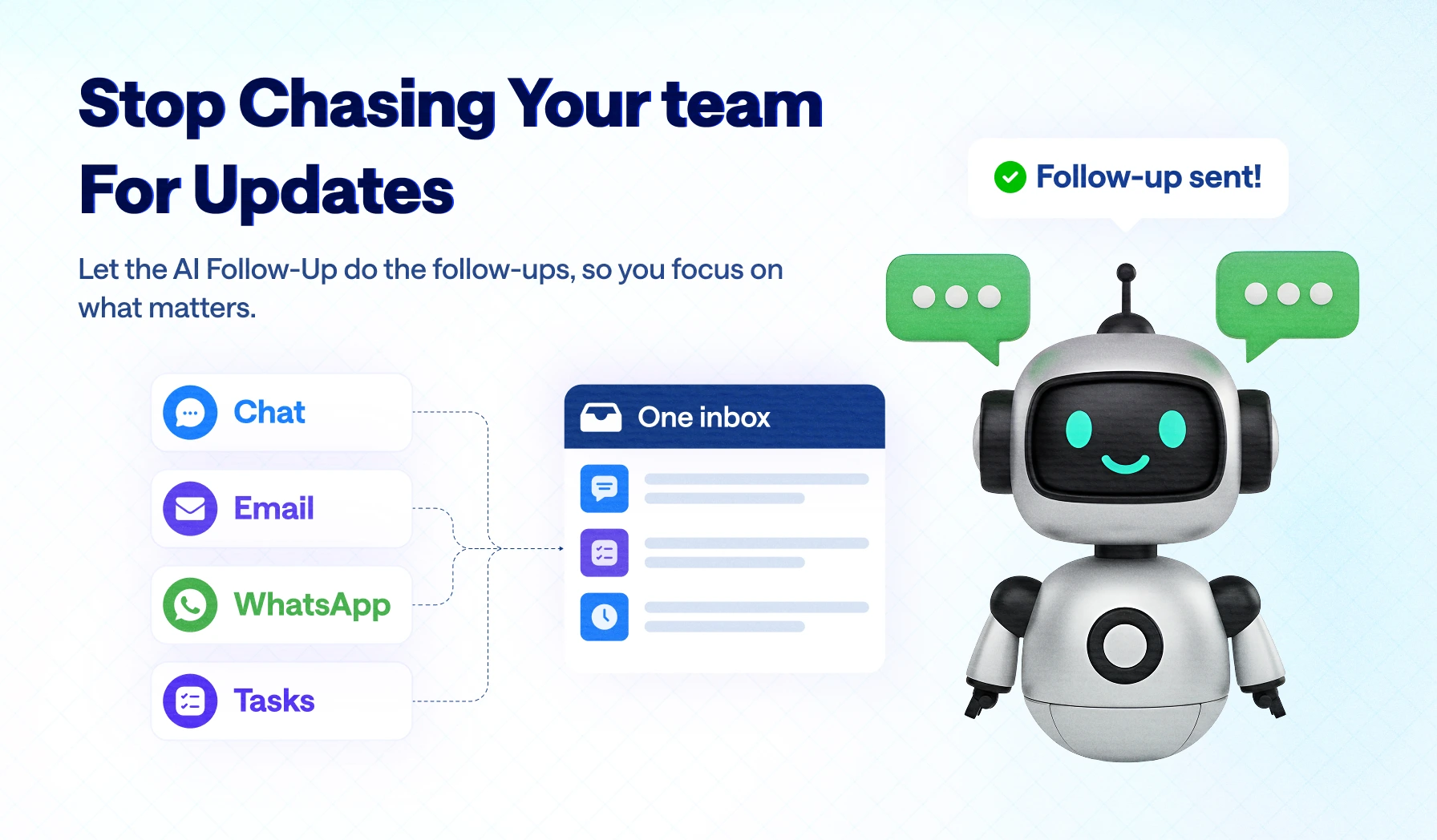
An AI follow-up agent watches tasks, chats and email inside your CRM, notices when something goes quiet, and asks the right person for an update in a short, specific message. Every reply comes back to one inbox, linked to the task, so the manager sees progress without chasing anyone.
Key takeaways🔗
Key takeaways
- One inbox instead of many : in-app chat, task comments and email arrive in one stream, each message linked to its task, deal or client.
- The agent asks, not the manager : it spots stalled tasks, missing updates and unfilled timesheets, then sends a specific nudge to the person responsible.
- Clearly labelled as AI : every message shows it comes from the AI assistant. Specific and polite beats pretending to be human.
- Replies route back automatically : answers land in the manager's inbox with the task attached. No forwarding, no screenshots.
- Why it matters : follow-up is the most frequent, least valuable job a manager does. Handing it to a system frees the manager and stops work stalling simply because nobody asked.
"Any update?" The message I was tired of sending🔗
I'm a manager, and for a long time my real job title was "person who asks for updates". I'd open my laptop with a plan for the day and spend it chasing instead.
"Any update on this?" "Did the client reply?" "Is the review done?" "Can you fill your timesheet?" Same questions, different people, every day. None of it was hard. All of it was relentless, and honestly, it was irritating, for me and for my team.
You know this pain if…🔗
- You've typed "any update?" five times before lunch.
- You found out a task was blocked for three days, only because you finally asked.
- A client replied by email, a developer replied in a task comment, and you were the only one who connected the two.
- It's 9 pm and you're still messaging people to fill their timesheets.
- You feel like a micromanager, you hate it, and yet the moment you stop asking, work stops moving.
What the chasing really costs🔗
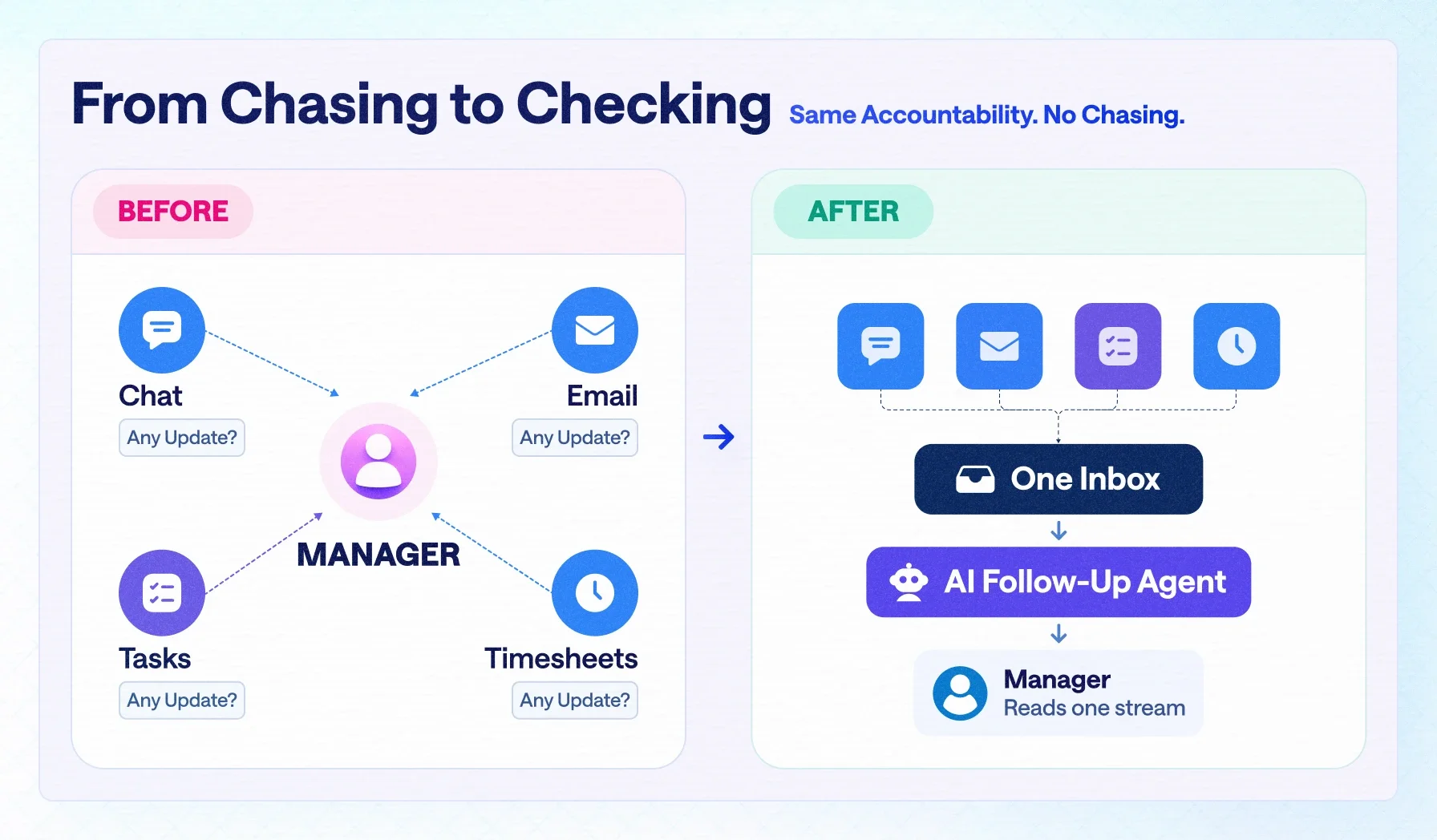
- Your time : hours a week spent asking instead of planning, reviewing or helping people.
- Your focus : a mental list of who owes what, which never switches off.
- Your team's goodwill : being asked four times a day feels like distrust, even when it isn't.
- Your deadlines : work rarely stalls because people are blocked. It stalls because nobody asked, and nobody noticed that nobody asked.
The problem was never my team's discipline. It was a missing system: messages spread across chat, email and task comments, and the only thing joining them was my memory.
So I stopped being the system. We built an AI follow-up agent to do the asking.
What we built: one inbox with an AI follow-up agent on top🔗
The feature has two halves, and they only work together.
| Layer | What it does |
|---|---|
| 1. One inbox | Brings in-app chat, task comments and email into one ordered stream |
| 2. Context | Links every message to its task, deal, project or client, and tracks state: waiting for reply, overdue, not reviewed, no update in a set number of days |
| 3. Follow-up agent | Spots silence, stalled tasks, missing updates and unfilled timesheets, and sends a specific, labelled nudge to the responsible person |
| 4. Route back | Brings every reply to the manager's inbox with the task context attached, and escalates to the manager only if a nudge goes unanswered |
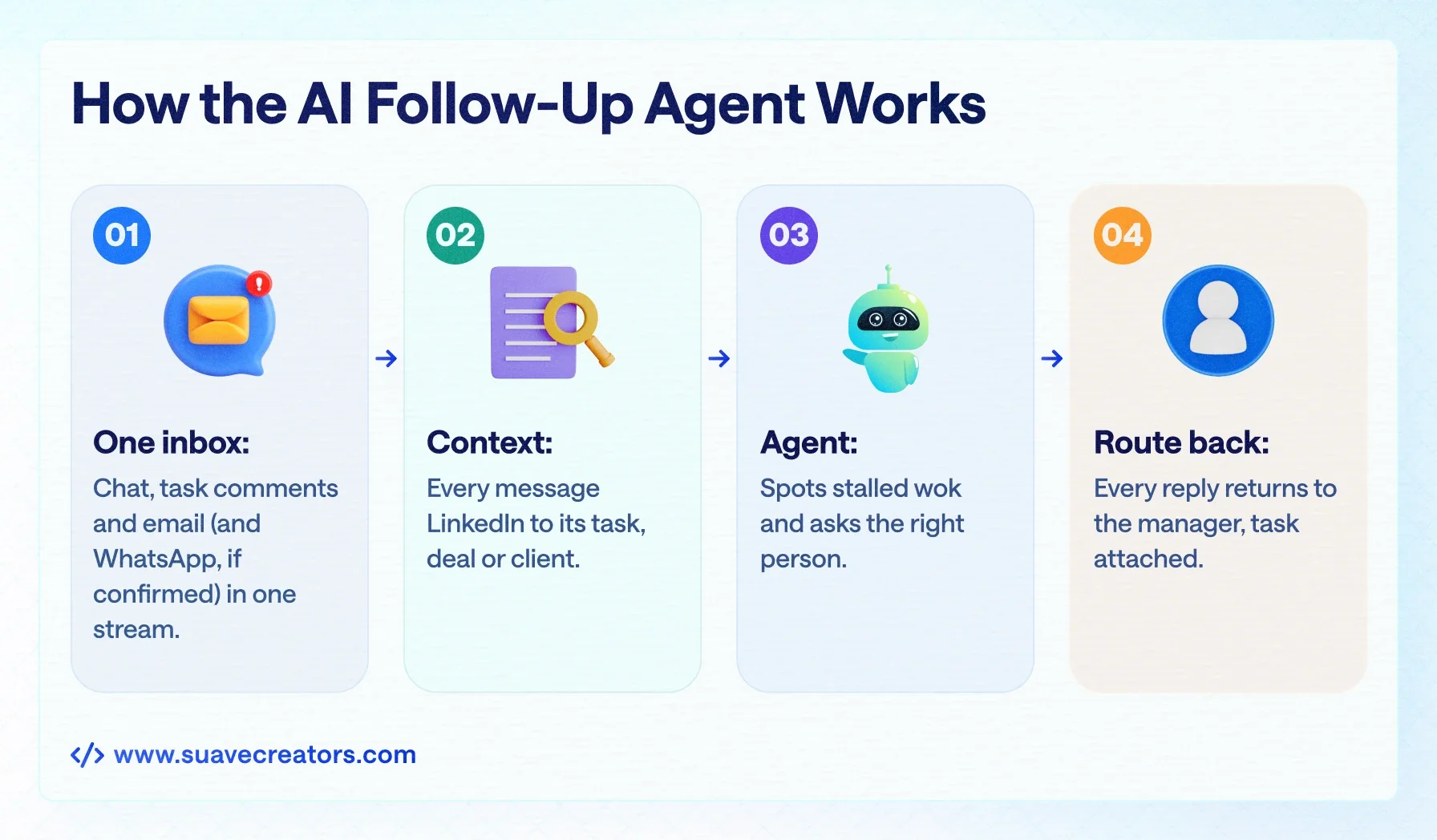
The inbox. Every message, wherever it started, lands in one stream connected to the manager's account. If a client replies by email and a developer replies in a task comment, both arrive in order, with their records attached. Nothing on any task, chat or email gets missed.
The agent. On top of that stream sits an agent that understands task state. It knows which items have gone quiet, which reviews are pending, and which daily inputs are missing. Then it does what the manager used to do: it asks.
What's live now, and what's coming next🔗
We are shipping this in stages, and we'd rather tell you exactly where it is today.
| Stage | What it does |
|---|---|
| Live now | One inbox that captures every chat message and task comment, so no conversation is missed |
| Live now | Start-of-day, task-update and end-of-day timesheet nudges, labelled as AI |
| Live now | Replies routed back to the manager with the task attached |
| Coming next | Automatic follow-ups on tickets and client emails |
| Coming next | AI code review on development tasks, with follow-ups when a review is pending |
Tired of being the follow-up department? See it inside Suave CRM, free to start.
What the agent actually says🔗
One design rule: a nudge must be specific enough to answer in one line. Generic reminders get ignored. These don't:
| Moment | Example nudge (shown with an "AI assistant" label) |
|---|---|
| Start of day | "What are you on today and what's the target? Anything blocking you?" |
| Task update | "Can you post a quick update on the audit: what you've covered, what's left, and an ETA? Shout if anything is blocking you." |
| End of day | "Before you wrap up, please fill today's timesheet if you haven't already." |
| Client thread (coming next) | "No reply on this thread since the follow-up sent 3 days ago. Send another, or move it to the sales team?" |
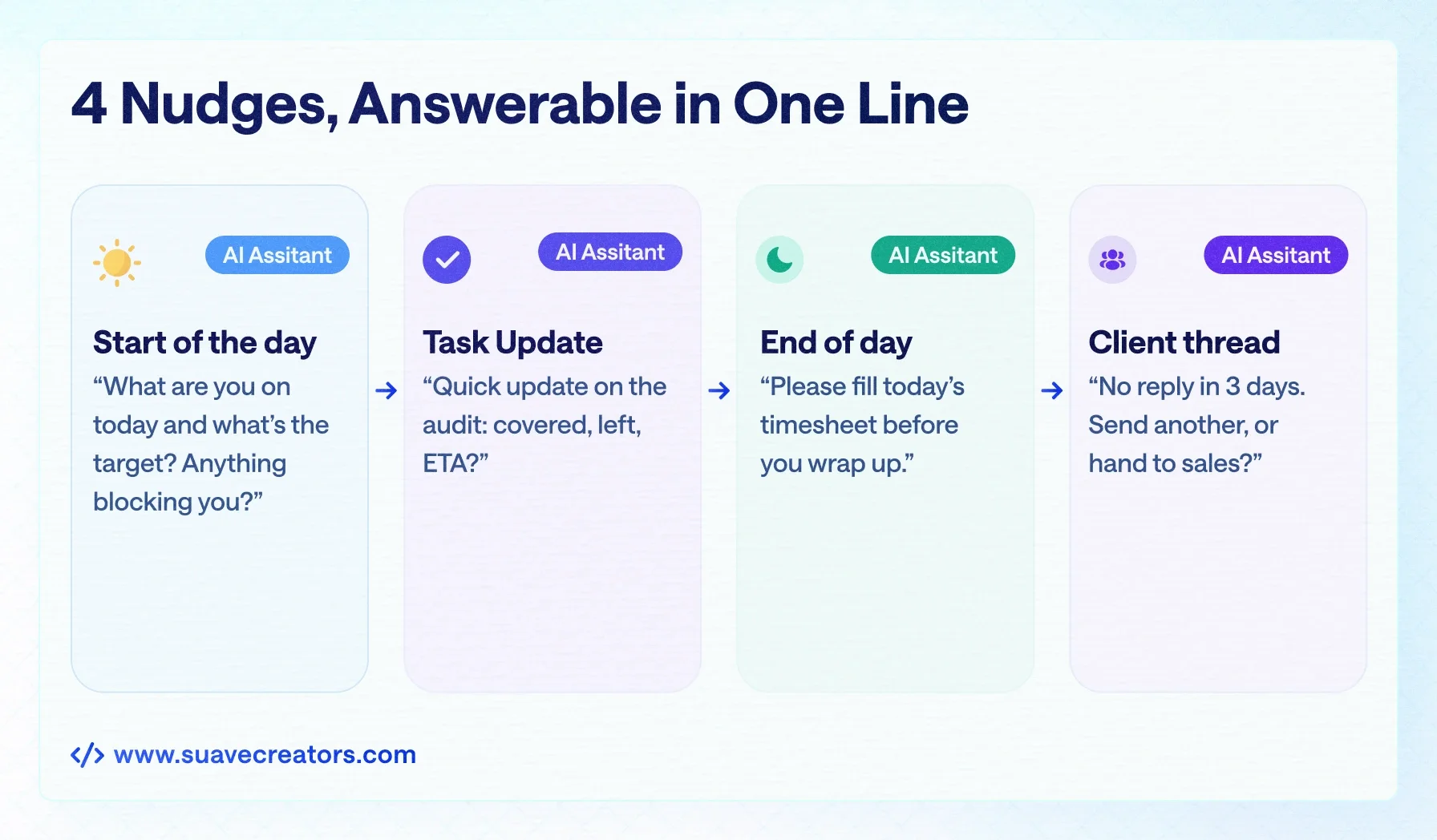
Each one names the work, says exactly what is needed, and leaves room for the real answer, including "I'm blocked." The goal is to surface problems early, not to watch people.
What our internal rollout taught us🔗
We tested the agent on our own team first. It asked a team member for an update on an open audit task, and after a few messages she asked a fair question: was this a person or an AI?
That told us two things. The nudges were good: specific, polite and about real work, so they read naturally. And the messages needed to say clearly that they came from an AI assistant. People deserve to know who, or what, they are talking to, and from 2 August 2026 the EU AI Act requires it for AI systems that interact with people.
So every agent message now carries an "AI assistant" label, and the agent explains itself when asked: it is connected to the manager's account, every reply goes straight back to the manager, and its job is to make sure nothing on any task, chat or email is missed, so the manager doesn't have to micromanage anyone.
Five problems an AI follow-up agent removes🔗
1. The manager as a human reminder system🔗
Follow-up is recurring, predictable and rule-based: exactly the work that shouldn't take a decision-maker's attention. Count how many "any update?" messages you send in a week; that is the time this gives back.
2. Context lost between channels🔗
A client conversation that starts on email, moves to chat and ends in a task comment usually lives in three places. One inbox keeps it on one record, which matters most when someone goes on leave or leaves the company.
3. Silent stalls🔗
Tasks rarely announce that they are stuck. They just stop moving. Tracking task state catches the absence of progress, the hardest signal for a manager to spot across dozens of items.
4. Micromanagement friction🔗
Being asked for an update four times a day by your founder feels like distrust. The same question from a clearly labelled system feels like process. Accountability stays; the friction drops.
5. Missing daily inputs🔗
Timesheets, status notes and review sign-offs feed billing, capacity planning and client reporting. End-of-day prompts close the gap that otherwise gets rebuilt from memory at month end. (More on that in our guide to a CRM with time tracking and invoicing.)
Why the agent belongs inside the CRM, not beside it🔗
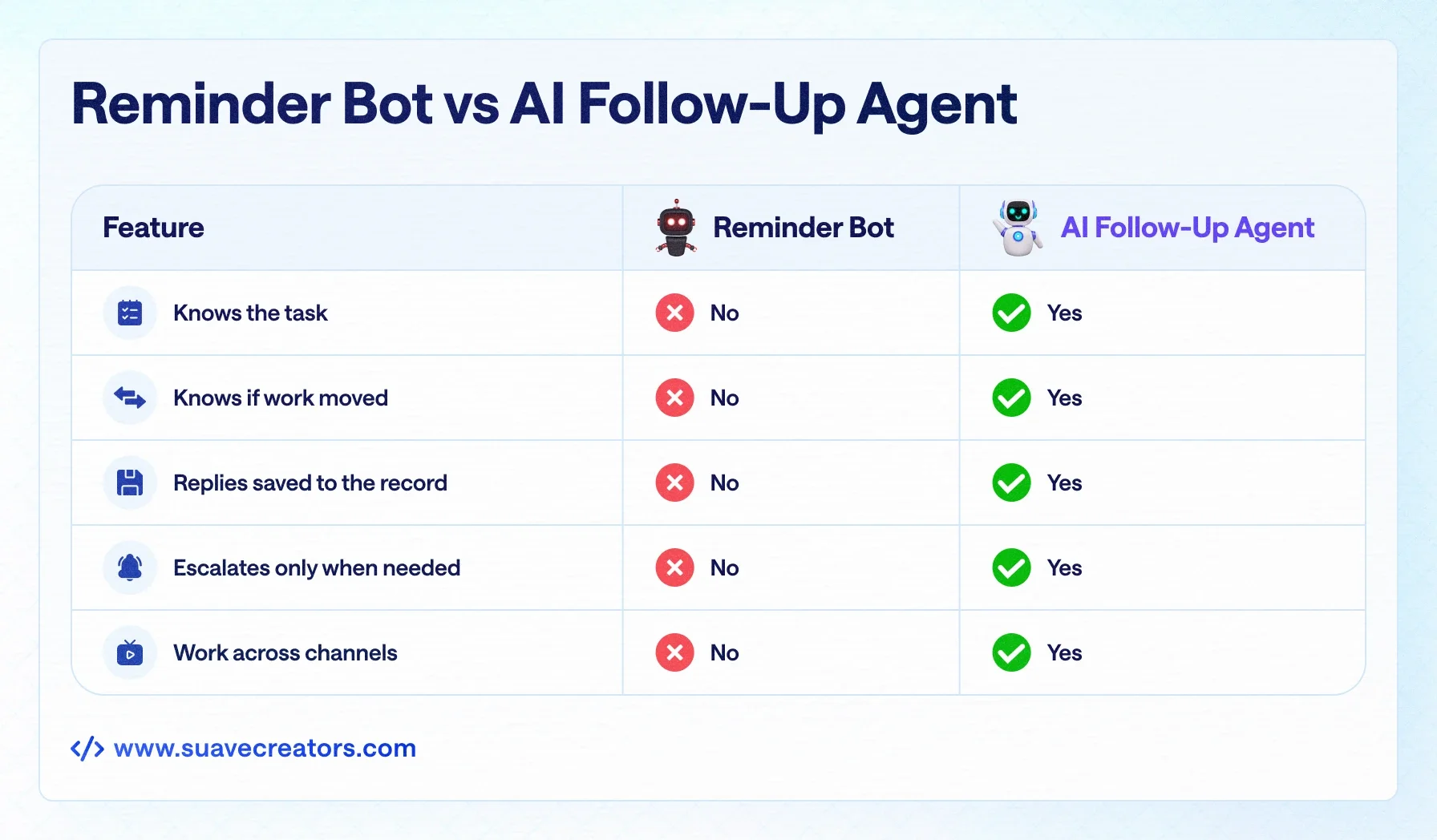
A standalone reminder bot can't do this. The agent is useful because it sits on the same data as the work.
| Capability | Generic reminder bot | AI follow-up agent inside the CRM |
|---|---|---|
| Knows what the task is | No, sends a fixed message | Yes, uses the task's scope, owner, stage and due date |
| Knows whether work moved | No | Yes, reads task status, comments and activity |
| Puts replies on the record | No, the reply stays in a chat app | Yes, the reply attaches to the task and the manager's inbox |
| Escalates sensibly | No | Yes, only after a nudge goes unanswered |
| Works across channels | One channel | Chat, task comments and email |
| Where the data lives | The bot vendor | In Suave CRM, or in your own CRM if we build it for you |
If you own your CRM, the agent can reach more of your data and you control where it lives. We covered that trade-off in our custom CRM vs Salesforce TCO analysis.
How it works under the hood🔗
| Part | What it does |
|---|---|
| Channel connectors | In-app chat, task comments, email (IMAP/SMTP and provider APIs); every message stored with sender, channel, thread, time and linked record |
| Rules and scheduling | Queue workers and scheduled checks; rules for idle time, ownership, escalation and quiet hours |
| Language model | Writes each nudge from the live task context, not a fixed template |
| Data and audit | Tasks, threads, contacts and an audit log of every agent message |
Four guardrails we treat as hard limits:
- Always labelled. Every agent message says it comes from the AI assistant.
- Quiet hours and frequency caps. An agent that can message anyone at any time becomes noise within a week.
- Everything is logged. Managers can see what was sent, to whom and why. Automation that can't be checked doesn't get trusted.
- People can reply "I'm blocked". The agent passes blockers to the manager instead of repeating the question.
Who it's built for🔗
| Strong fit | Weaker fit |
|---|---|
| Founder-led teams of 10–100 where the manager is the coordination layer | Teams under 5 in one room who already see everything |
| Agencies and service businesses juggling client threads across channels | Organisations with a project office that already owns status updates |
| Remote or hybrid teams with no shared stand-up | Cultures where any automated message will feel like surveillance; the tool amplifies your management style, it doesn't replace it |
| Teams where missed follow-ups cost revenue |
Stop being the follow-up department🔗
If your day is full of asking people for updates, that isn't a discipline problem on your team. It's a missing system.
-
Try it in Suave CRM: start free today, no payment needed.
-
Build it into your own stack: see our custom CRM development and AI solutions services.
- Talk it through: book a free 30-minute call with a senior architect.