





 +91 88949 00142
 +1 (307) 435-9605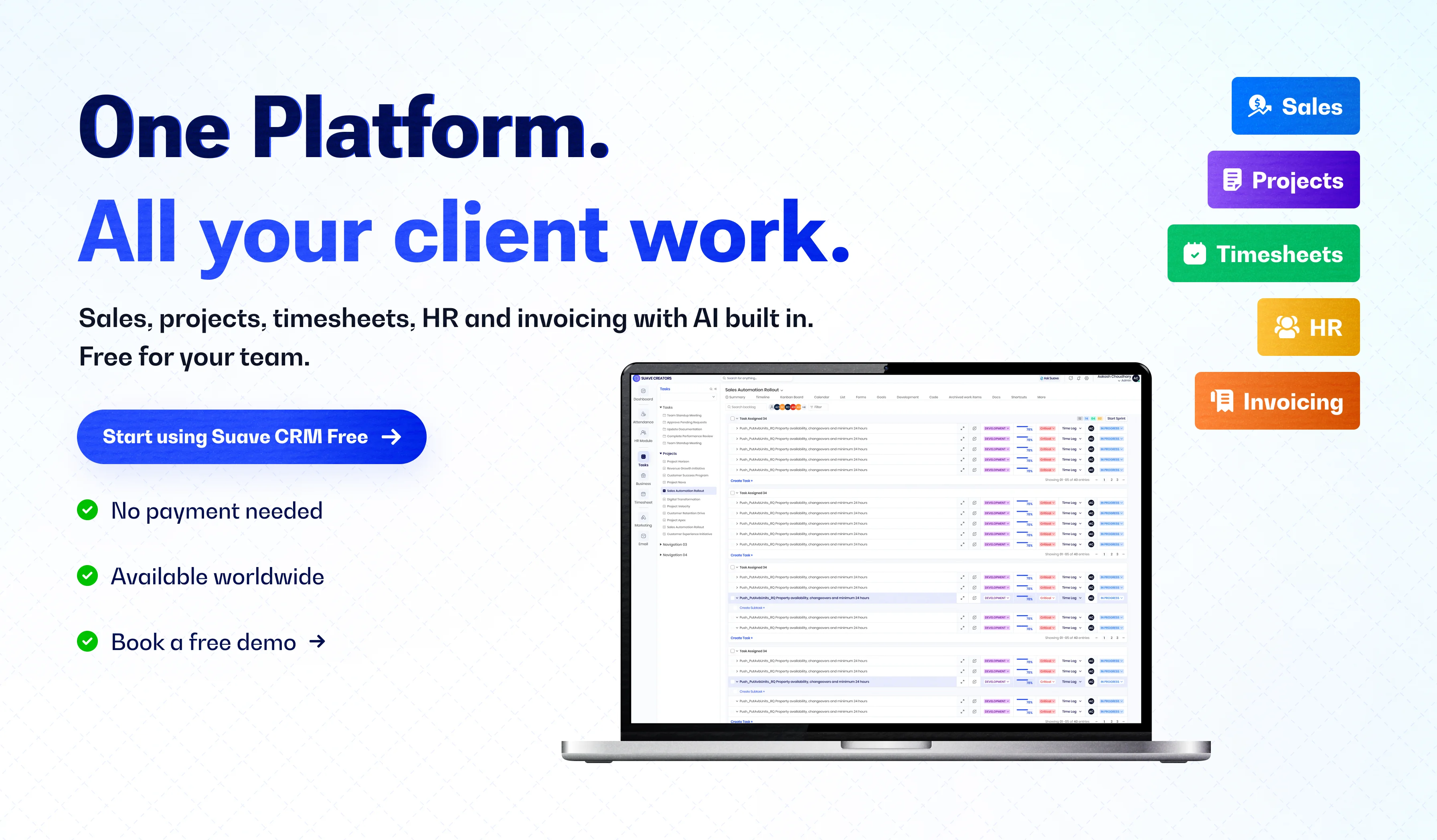
Suave Creators makes Suave CRM, one of the tools in this comparison. The notes on HubSpot, Zoho CRM, and Bitrix24 come from their own pricing pages and recent reviews. Those plans change, so check the pricing page before you commit.
Most free CRMs are built for one job: tracking sales. An agency has at least five: winning clients, running projects, logging hours, invoicing, and managing the team. The useful question is not which free CRM is best. It is which free plan covers the work your agency actually does, for the number of people who need to log in.
We compared four free plans on that basis: HubSpot, Zoho CRM, Bitrix24, and our own Suave CRM.
Quick answer
The best free CRM for an agency is the one whose free plan covers sales, projects, time tracking, and invoicing for the whole team. HubSpot's free CRM is the strongest pure sales tool, but it allows only two users. Zoho CRM's free edition allows three users. Bitrix24's free plan adds tasks. Suave CRM includes sales, projects, timesheets, HR, and invoicing for small and mid-size companies.
Running an agency of five or more? See if Suave CRM fits your team. It is free to try.
Free CRM plans compared for agencies
| What agencies need | HubSpot free CRM | Zoho CRM Free | Bitrix24 Free | Suave CRM |
|---|---|---|---|---|
| Users on the free plan | Up to 2 | Up to 3 | The pricing card says 1–2 users. The FAQ says unlimited. Check the page before you rely on it. | Free for small and mid-size companies |
| Sales pipeline | Yes, one deal pipeline | Yes. Multiple pipelines are paid | Basic deals and contacts | Yes, with AI lead scoring |
| Client projects and tasks | No client project management | Tasks, calls, and meetings. Projects need Zoho Projects, a separate app | Tasks with Kanban and Gantt | Yes, projects and tasks |
| Time tracking and timesheets | No | No | Paid (Professional) | Yes |
| Invoicing | Not included in the free CRM | No. You need Zoho Invoice, a separate app | Paid (Professional) | Yes, from won deals and logged hours |
| Attendance and HR | No | No. You need Zoho People, a separate app | Not listed on the free plan | Yes. Clock in and out, attendance, and HR profiles |
| Email from your own inbox | Yes, with HubSpot branding on outbound emails, forms, and meeting links | Email integration is paid | Email integration is paid | Yes, Gmail (optional) |
| AI assistant | Limited on the free plan | Not on the free plan | Limited on the free plan | Included |
| Cheapest paid step | Starter, priced per seat | Standard, about USD 14 per user each month | Basic, USD 49 a month, billed annually, for 5 users | No paid step for small and mid-size companies |
What an agency needs from a free CRM
Before you compare logos, run each free plan through these six questions. If a plan fails two or more, you will be paying for extra tools within a few months.
- Can everyone log in? A free plan for two users does not work for a 12-person agency, where the delivery team updates tasks and logs hours.
- Does a won deal become a project? If projects live in another app, someone copies the client details by hand every time.
- Can people log billable hours against a client? Without timesheets, invoices are estimates.
- Can you invoice from that time? If not, you export the hours to a spreadsheet or a separate invoicing tool.
- Can you see who is working, and on what? Attendance and workload matter more than most CRMs assume.
- What happens when you grow? Look at the first paid step, and how it is priced: per seat, per organization, or per app.
The four free CRMs, one by one
HubSpot free CRM
This is the most polished free sales CRM, with a large app marketplace and good learning material. The free tools allow up to two users, one deal pipeline, and pre-built dashboards. Outbound emails, forms, and meeting links carry HubSpot branding. The free CRM does not include client project management, time tracking, or HR. Best for: a founder-led agency with one or two people selling. Watch out for: per-seat pricing once a third person needs access.
Zoho CRM Free
A capable free edition for up to three users, with contact management, follow-up reminders, simple workflow rules, standard reports, and mobile apps. Email integration and multiple pipelines need a paid edition. Projects, invoicing, and HR are separate Zoho apps you connect. Best for: small teams already using other Zoho apps. Watch out for: the number of apps, and logins, you end up running.
Bitrix24 Free
Bitrix24 bundles a basic CRM with tasks (Kanban and Gantt), chat, and 5 GB of storage. Task time tracking and invoices sit on paid plans, priced per organization rather than per seat. Its own pricing page and FAQ do not agree on the free user limit, so check that before you commit. Best for: teams that want CRM and task management in one place and can live with a busy interface. Watch out for: the features agencies bill from, time and invoices, are paid.
Suave CRM
This is our own product. Suave CRM puts a sales pipeline with AI lead scoring, projects and tasks, timesheets, invoicing, attendance and HR, and an AI assistant in one web app, free for small and mid-size companies. It was built for IT and digital agencies, so a won deal becomes a project, hours are logged against the client, and invoices come from those hours. Best for: agencies and startups that sell and deliver client work. Watch out for: no native mobile apps, Gmail-only email, and a shorter integration list than HubSpot or Zoho.
The real cost of "free": five tools versus one
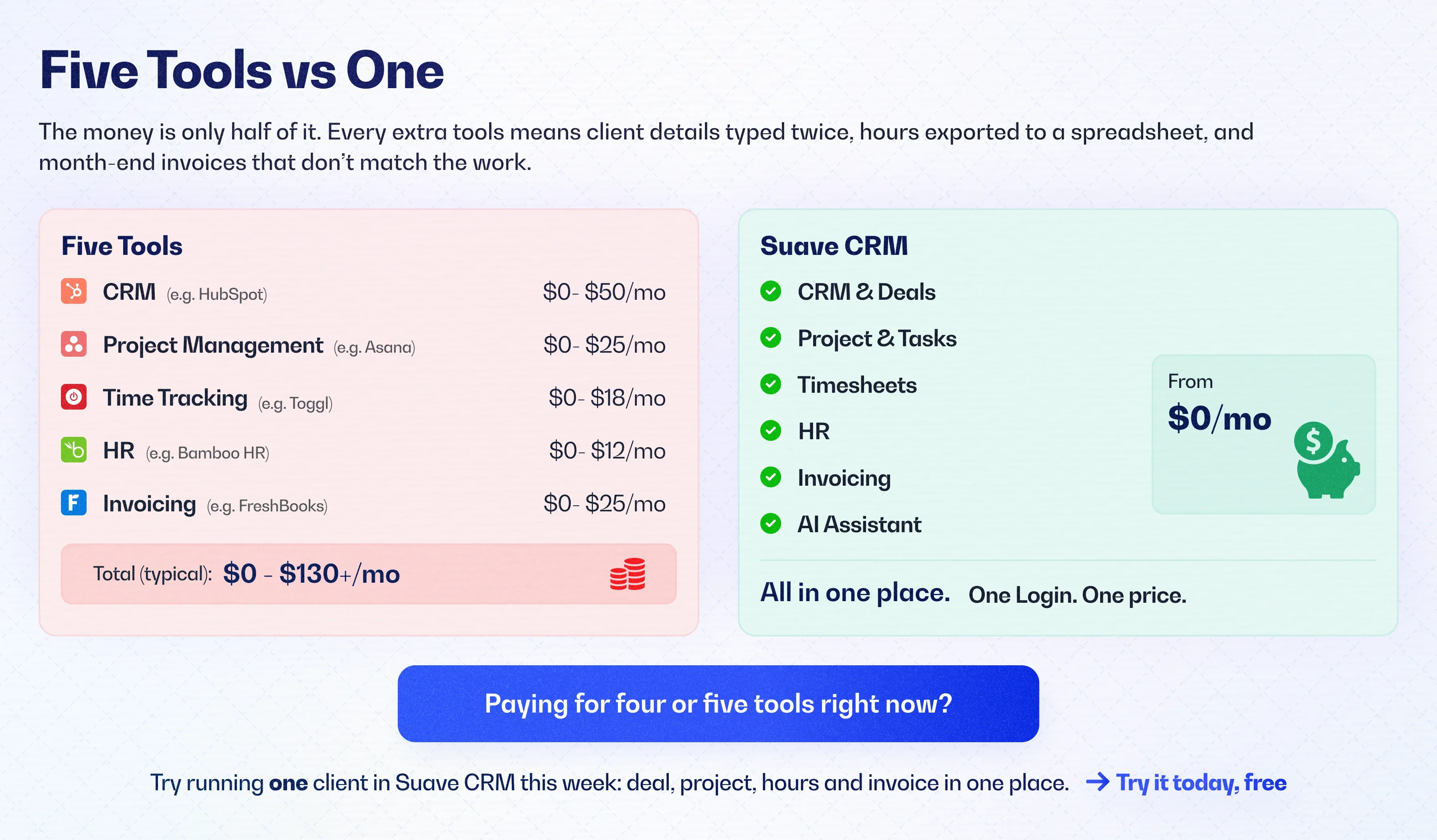
A free plan stays free until the third or fourth person needs a login, or until you add the tools for projects, time, and billing. For a 12-person agency on per-seat pricing, the monthly bill looks like this:
| Setup | What you pay each month |
|---|---|
| Zoho CRM Standard for 12 users | About USD 168 (12 × USD 14) |
| HubSpot Sales Hub Professional for 12 seats | USD 1,080 (12 × USD 90, billed annually) |
| Separate project, time-tracking, HR, and invoicing tools | Another monthly bill, on top of the CRM |
| Suave CRM | USD 0 for small and mid-size companies |
The money is only half of it. Every extra tool means client details typed twice, hours exported to a spreadsheet, and month-end invoices that do not match the work.
How to choose: a simple rule by team size
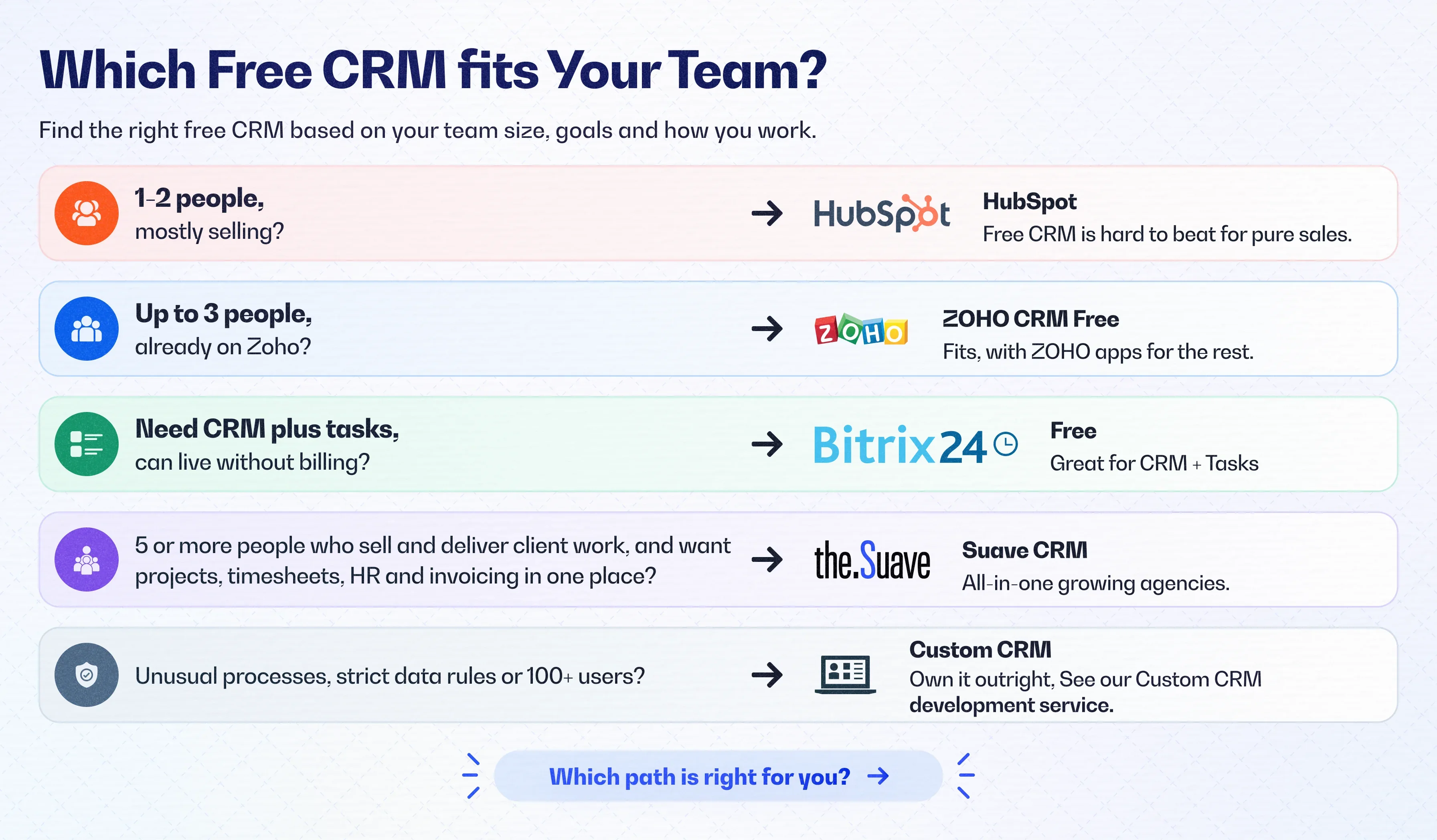
- 1–2 people, mostly selling: HubSpot's free CRM is hard to beat for pure sales.
- Up to 3 people, already on Zoho: Zoho CRM Free fits, with Zoho apps for the rest.
- Need CRM plus tasks, and you can live without billing: Bitrix24 Free.
- Five or more people who sell and deliver client work, and want projects, timesheets, HR, and invoicing in one place: Suave CRM.
- Unusual processes, strict data rules, or 100+ users: a CRM you own outright. See our custom CRM development service, and our analysis of replacing HubSpot with a custom CRM.
How to switch to a new free CRM in one afternoon
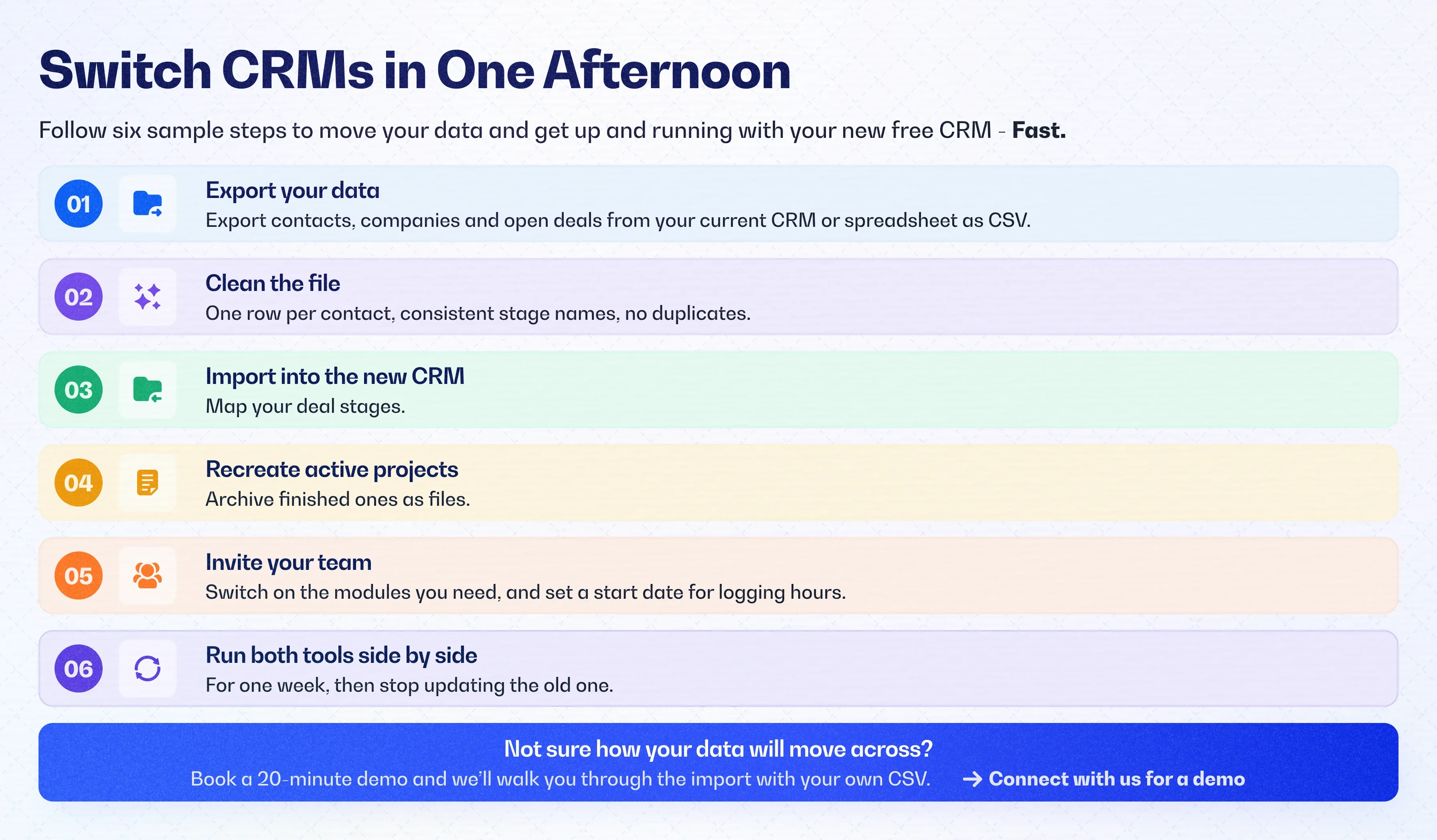
- Export contacts, companies, and open deals from your current CRM or spreadsheet as a CSV.
- Clean the file: one row per contact, consistent stage names, and no duplicates.
- Import it into the new CRM and map your deal stages.
- Recreate only the active projects. Archive finished ones as files.
- Invite the team, turn on the modules you need, and set a start date for logging hours.
- Run both tools side by side for one week, then stop updating the old one.
Our verdict
If you are one or two people focused on sales, start with HubSpot's free CRM. If your agency both sells and delivers, compare free plans on projects, timesheets, and invoicing, not on the pipeline alone. That is the gap we built Suave CRM to fill. If it matches how your team works, you can try Suave CRM free with your work email and no payment, or book a demo first.