





 +91 88949 00142
 +1 (307) 435-9605
Most agencies don't lose money on bad projects. They lose it in the gaps : hours nobody logged, time logged against the wrong client, and invoices sent two weeks late from a spreadsheet. Those gaps exist because sales, projects, time and billing live in different tools.
This guide shows how to close them by running the whole chain, from won deal to paid invoice, in one CRM. It works whether you bill hourly, by retainer or by fixed fee.
Quick answer
A CRM with time tracking and invoicing connects four records: the client, the project, the hours logged against it, and the invoice. When a deal is won it becomes a project, the team logs time against that project, and invoices are created from approved hours, so nothing is retyped and no billable hour is missed.
Want to see the flow on your own client? Try it free in Suave CRM. It takes a few minutes to set up.
Why billable hours leak
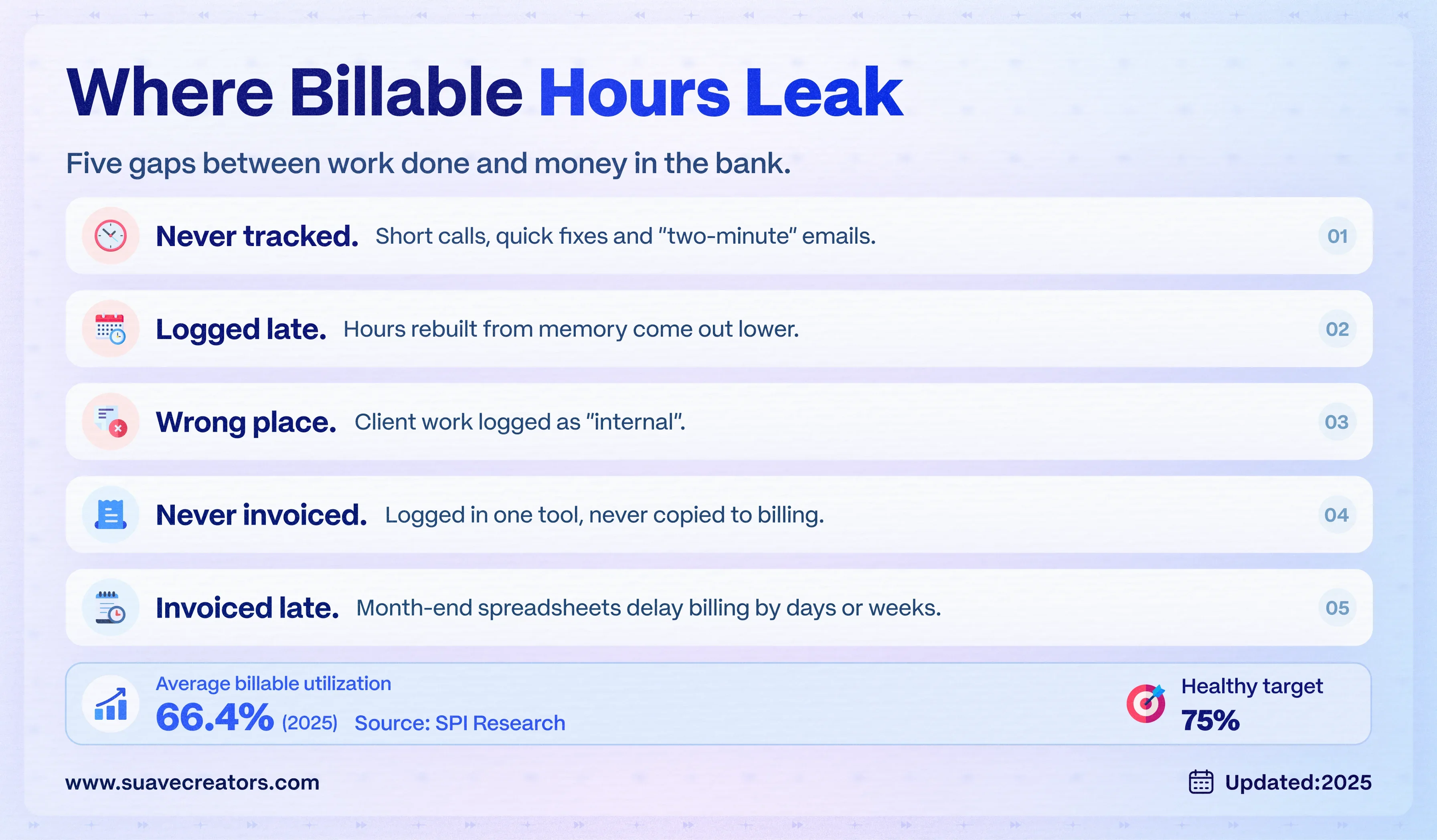
Across professional services firms, billable utilization averaged 66.4% in 2025, down from 68.9% in 2024 and well below the 75% that SPI Research considers healthy (SPI Research via Deltek). Part of that gap is real non-billable work. A lot of it is billable work that never reaches an invoice.
The five usual leak points:
- Time not tracked at all : short calls, quick fixes and "two-minute" client emails.
- Time logged late : hours rebuilt from memory on Friday are lower than hours logged the same day.
- Time logged to the wrong place : a generic "internal" bucket instead of the client project.
- Hours never invoiced : logged in a time tool, but nobody copies them into the invoicing tool.
- Invoices sent late : month-end exports and spreadsheet checks push billing back by days or weeks.
What a small gap costs : take a team of 8 with 140 available hours each per month (1,120 hours). At 66.4% utilization they bill about 744 hours; at 75% they bill 840. That is roughly 96 hours a month. At an example rate of USD 40 an hour, that is about USD 3,840 a month of work done but not billed.
The deal-to-invoice workflow
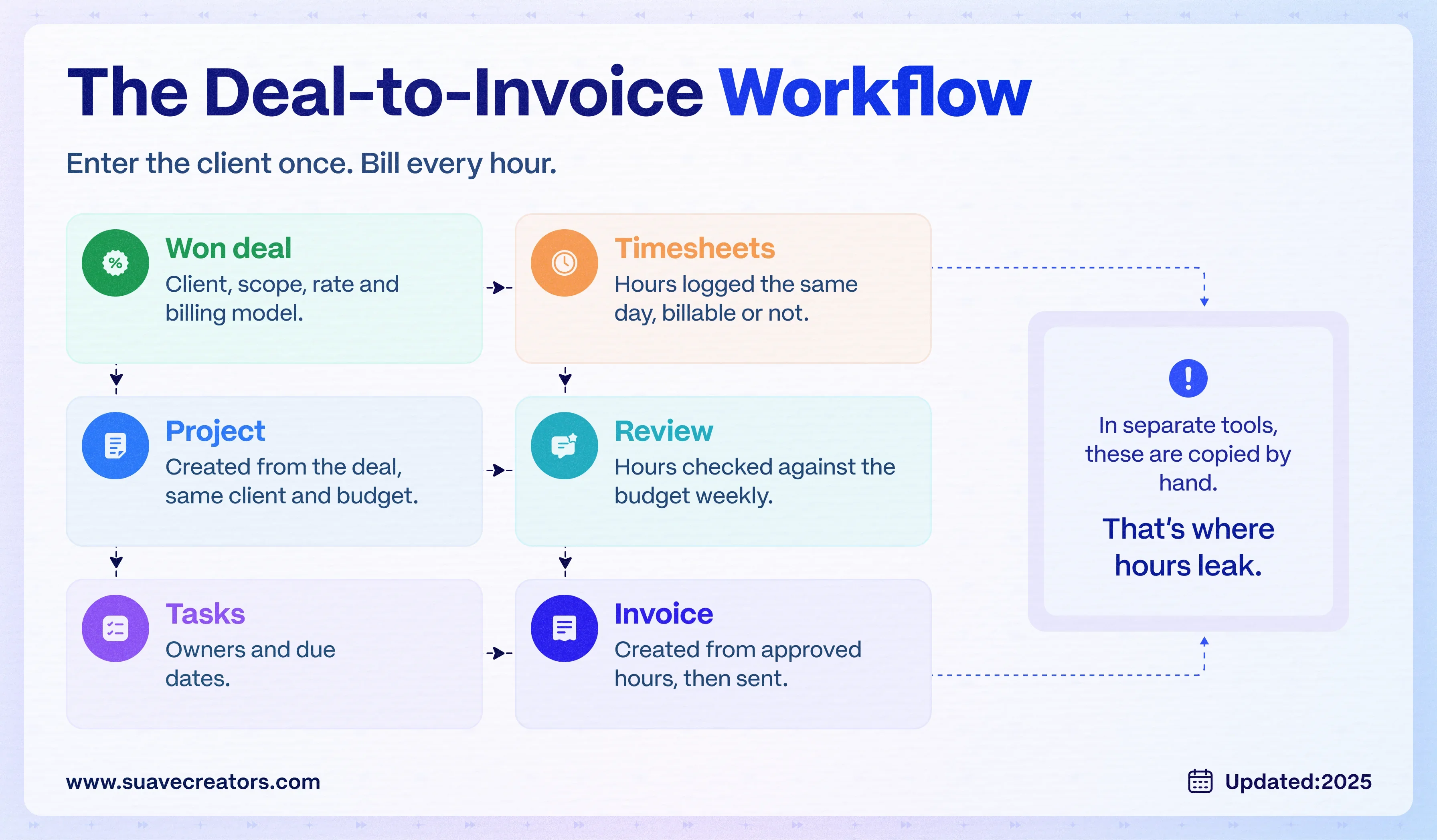
In a CRM with time tracking and invoicing, each step feeds the next, so the client details are entered once.
- Won deal : the deal holds the client, scope, rate and billing model.
- Project : the won deal becomes a project with the same client and budget.
- Tasks : work is split into tasks with owners and due dates.
- Timesheets : the team logs hours against each task, ideally the same day.
- Approval : a project lead checks hours against the budget before billing.
- Invoice : the invoice is created from approved hours (or from the retainer or milestone), then sent.
What to look for in a CRM with time tracking and invoicing
- One client record shared by the deal, the project, the timesheets and the invoice.
- Time logged against projects and tasks, not just against a person.
- Billable and non-billable flags on each entry, so internal work doesn't inflate invoices.
- Invoices created from logged hours or won deals, without exporting a spreadsheet.
- Seats for the whole team. Everyone who logs time needs a login; per-seat pricing gets expensive fast.
- Attendance and workload views, so you can see who is over or under capacity.
Comparing tools? Our guide to the best free CRM for agencies checks which free plans include timesheets and invoicing.
How to set it up in a free CRM (step by step)
The steps below use Suave CRM, which includes projects, timesheets and invoicing free for small and mid-size companies. The same order works in any CRM that has these modules.
Setup steps
- Sign up and switch on the modules you need : sales, projects, timesheets and invoicing.
- Add your clients and open deals, or import them from a CSV export of your old tool.
- Turn each won deal into a project so the client, scope and budget carry over.
- Break the project into tasks with owners and due dates.
- Ask the team to log time the same day, against the task and client, marked billable or non-billable.
- Review logged hours against the budget at the end of each week.
- Create the invoice from logged hours (hourly work) or from the won deal (fixed fee or retainer), and send it.
- Check targets and analytics monthly to see hours, budget burn and revenue per client.
Set this up for one client this week. Pick one active client, move it into Suave CRM and run a full cycle : deal, project, hours, invoice. It's free for small and mid-size companies, with no payment needed.
Start using it free · Walk me through it
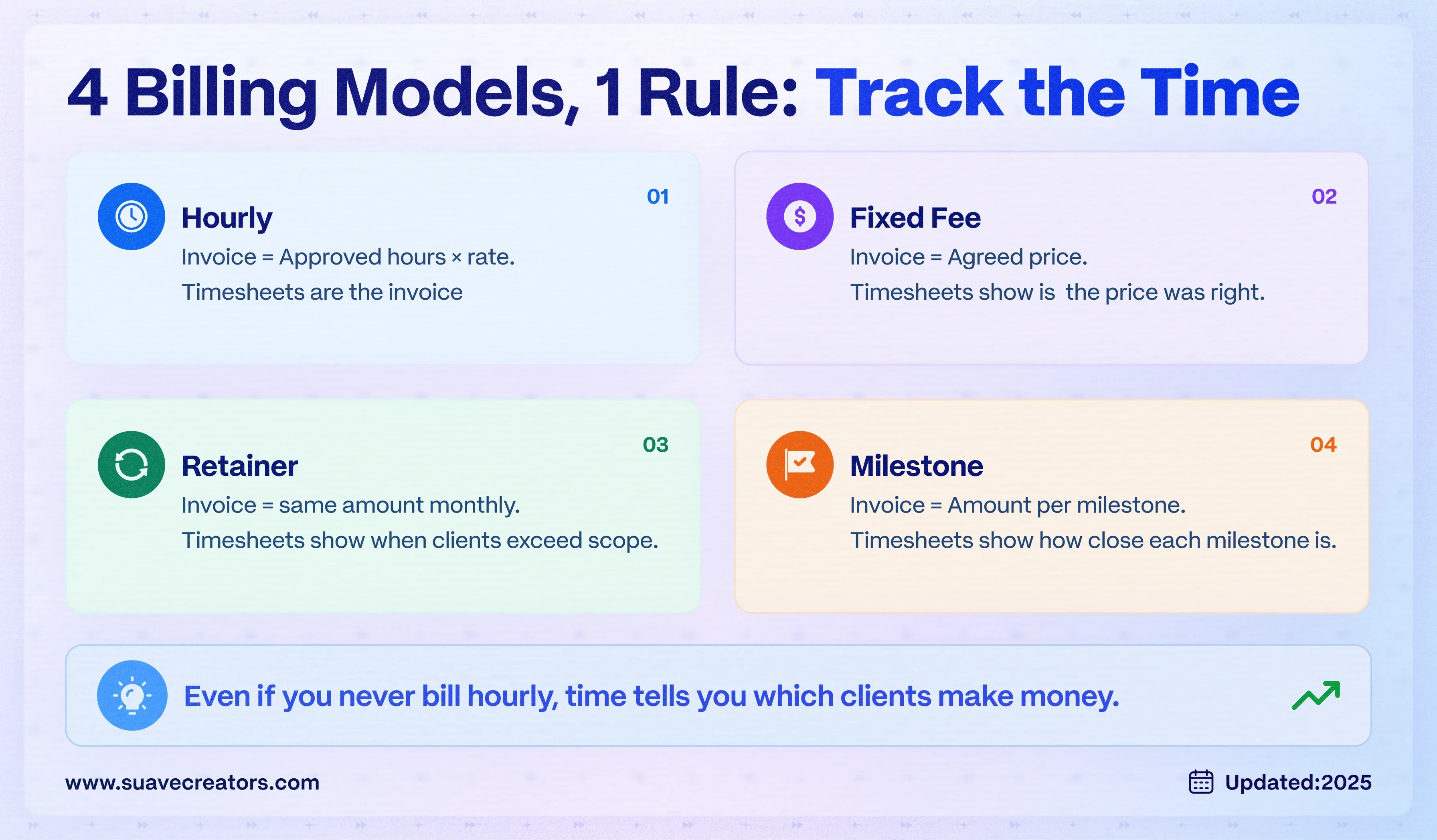
Pick your billing model: how timesheets feed each one
| Billing model | How you invoice | What timesheets are for |
|---|---|---|
| Hourly (time and materials) | Approved hours × rate | The invoice itself: every billable hour must be logged |
| Fixed fee | Agreed price, often split by milestone | Profit check: hours show whether the fixed price was right |
| Monthly retainer | Same amount each month | Scope control: hours show when a client uses more than the retainer covers |
| Milestone | A set amount when each milestone is delivered | Forecasting: hours show how close each milestone is |
Even if you never bill by the hour, track time. Without it you can't tell which fixed-fee projects or retainers make money.
Six mistakes that cost agencies billable hours
- Logging time weekly instead of daily.
- One "internal" bucket for everything that isn't obviously client work.
- Letting only managers have logins, so delivery staff log time in spreadsheets.
- Invoicing from memory instead of from logged hours.
- Waiting until month end to invoice work that finished mid-month.
- Never comparing hours to the project budget until the project is over.
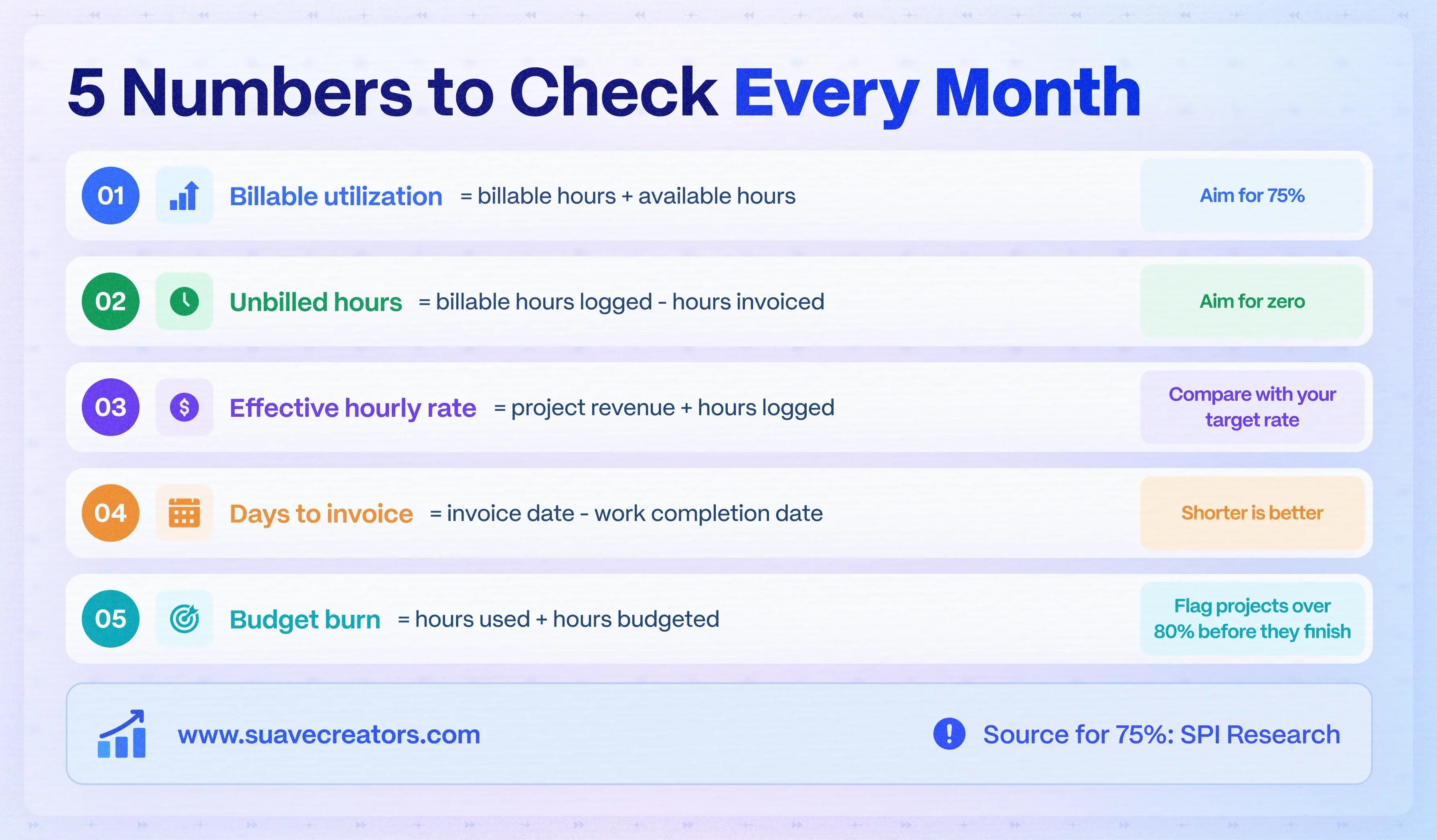
5 numbers to check every month
| Metric | How to calculate it | What it tells you |
|---|---|---|
| Billable utilization | Billable hours ÷ available hours | How much of the team's time earns money (SPI's healthy benchmark is 75%) |
| Unbilled hours | Billable hours logged - hours invoiced | Work done but not yet billed |
| Effective hourly rate | Revenue from a project ÷ hours logged on it | Whether fixed-fee and retainer work is profitable |
| Days to invoice | Invoice date - work completion date | How fast work turns into cash |
| Budget burn | Hours used ÷ hours budgeted | Which projects will overrun before they do |
Want these numbers without building a spreadsheet? Start tracking time in Suave CRM today and the dashboards fill in as your team logs hours.
When you need more than an off-the-shelf CRM
If your billing rules are complex (multi-currency rate cards, client-specific approval chains, ERP sync), a CRM built for your process may cost less over time than bending a generic tool. See our custom CRM development service or our CRM integration services for connecting your accounting system.
The bottom line
Billable hours leak in the hand-offs between tools. Put the deal, project, timesheet and invoice on one client record, ask the team to log time the same day, and invoice from what was logged. You'll bill more of the work you already do.