





 +91 88949 00142
 +1 (307) 435-9605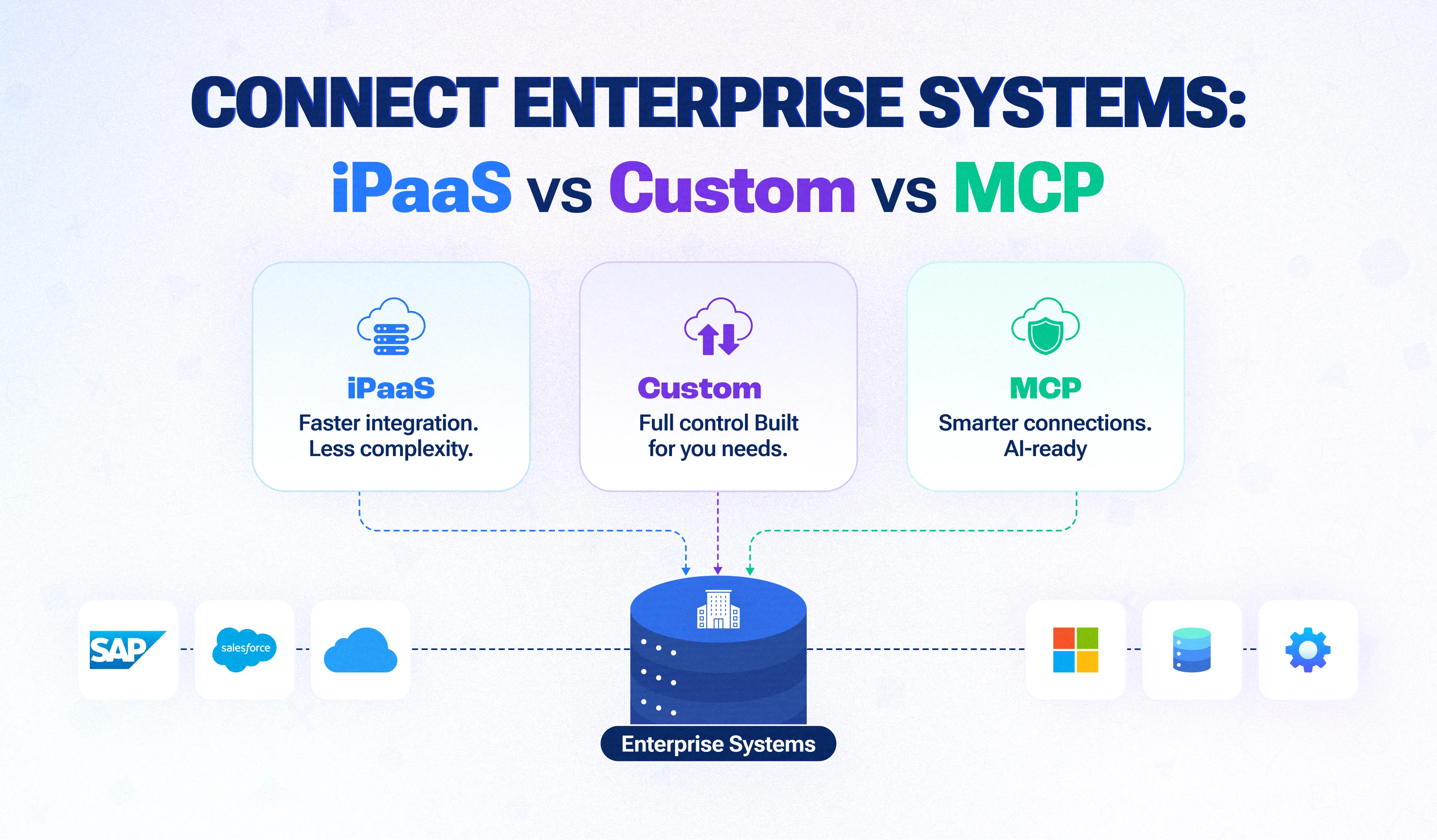
- Most efficiency problems between departments are integration problems, not software problems.
- There are three ways to connect systems: an iPaaS (integration platform as a service), a custom integration layer, or a mix of both.
- In 2026, AI agents add a new requirement: your systems must be reachable by AI safely. The Model Context Protocol (MCP) is the emerging standard for that.
- Decide by volume, complexity, data sensitivity and who will maintain the integrations, not by which tool has the most connectors.
When sales, finance and support each run their own stack, the real bottleneck is rarely the software itself. It is the hand-offs between them. Connecting those systems, once, through a hub, is how mid-sized companies stop retyping the same customer and order data.
What is enterprise system integration?
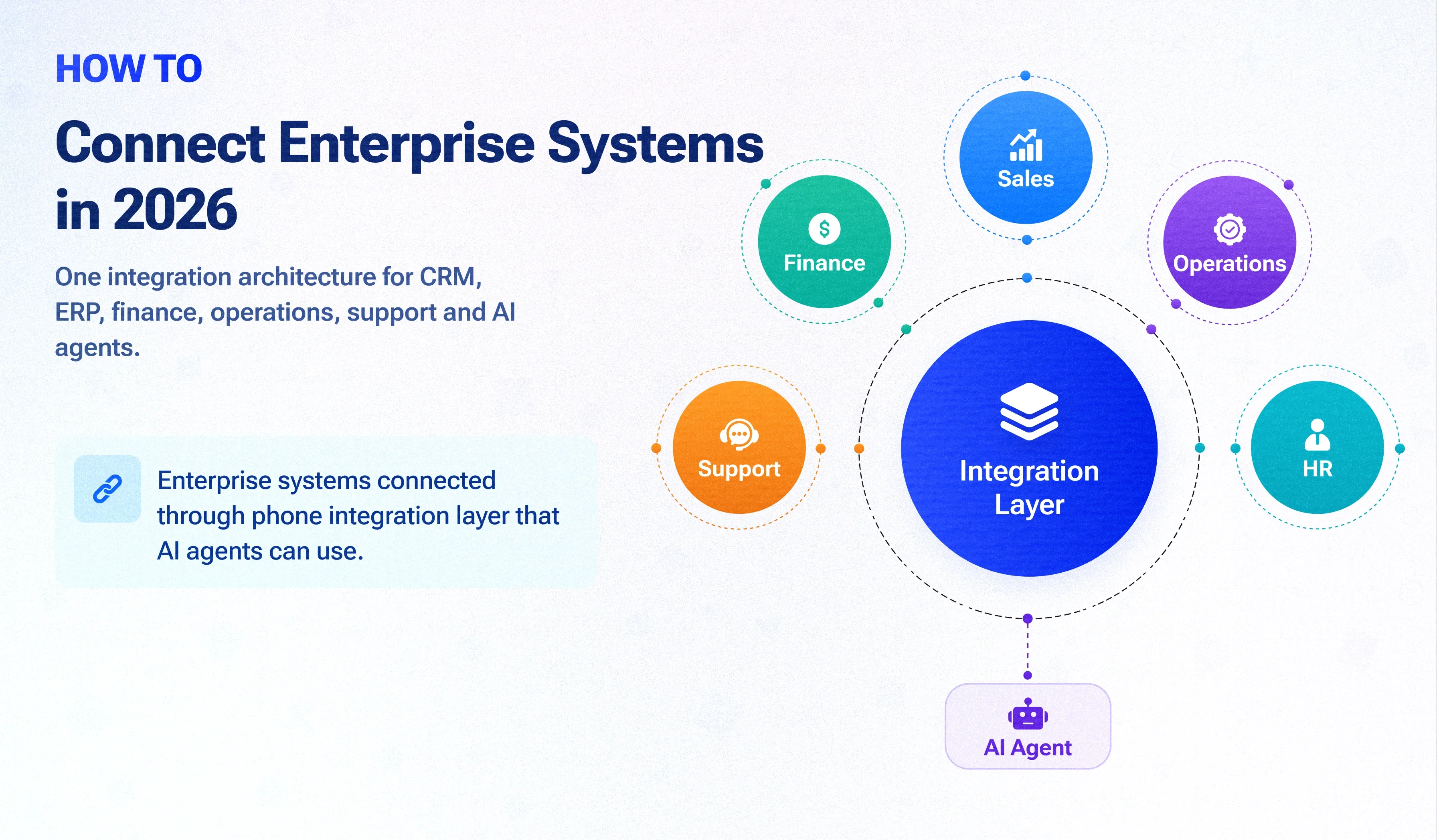
Enterprise system integration is connecting the software different departments use, such as CRM, ERP, finance, support, HR and e-commerce, so data moves between them automatically. Instead of people re-typing orders, customers and invoices from one tool into another, each record is created once and shared everywhere it is needed.
Why connecting departments matters more in 2026
Three changes have made integration a board-level topic:
- Tool sprawl. Each department picked its own best-in-class software. Sales, finance and support now work from different versions of the same customer.
- Real-time expectations. Customers expect order status, account balances and support history to be accurate on every channel, instantly.
- AI agents need connected data. An AI agent can only answer "what's the status of this customer's order and unpaid invoices?" if it can reach the CRM, ERP and billing systems. Disconnected systems are the main reason AI pilots stall. Read more in our guide to hiring an AI agent development company.
The hidden cost of point-to-point integrations
Most companies start by connecting systems one pair at a time. That works for three or four tools, then breaks down. With 10 systems, connecting every pair directly means up to 45 separate integrations to build, monitor and update. When one vendor changes its API, several connections fail at once, often silently.
The alternative is a hub: every system connects once to a central integration layer, and the layer handles the routing. The choice is how you build that hub.
Option 1: iPaaS (integration platform as a service)
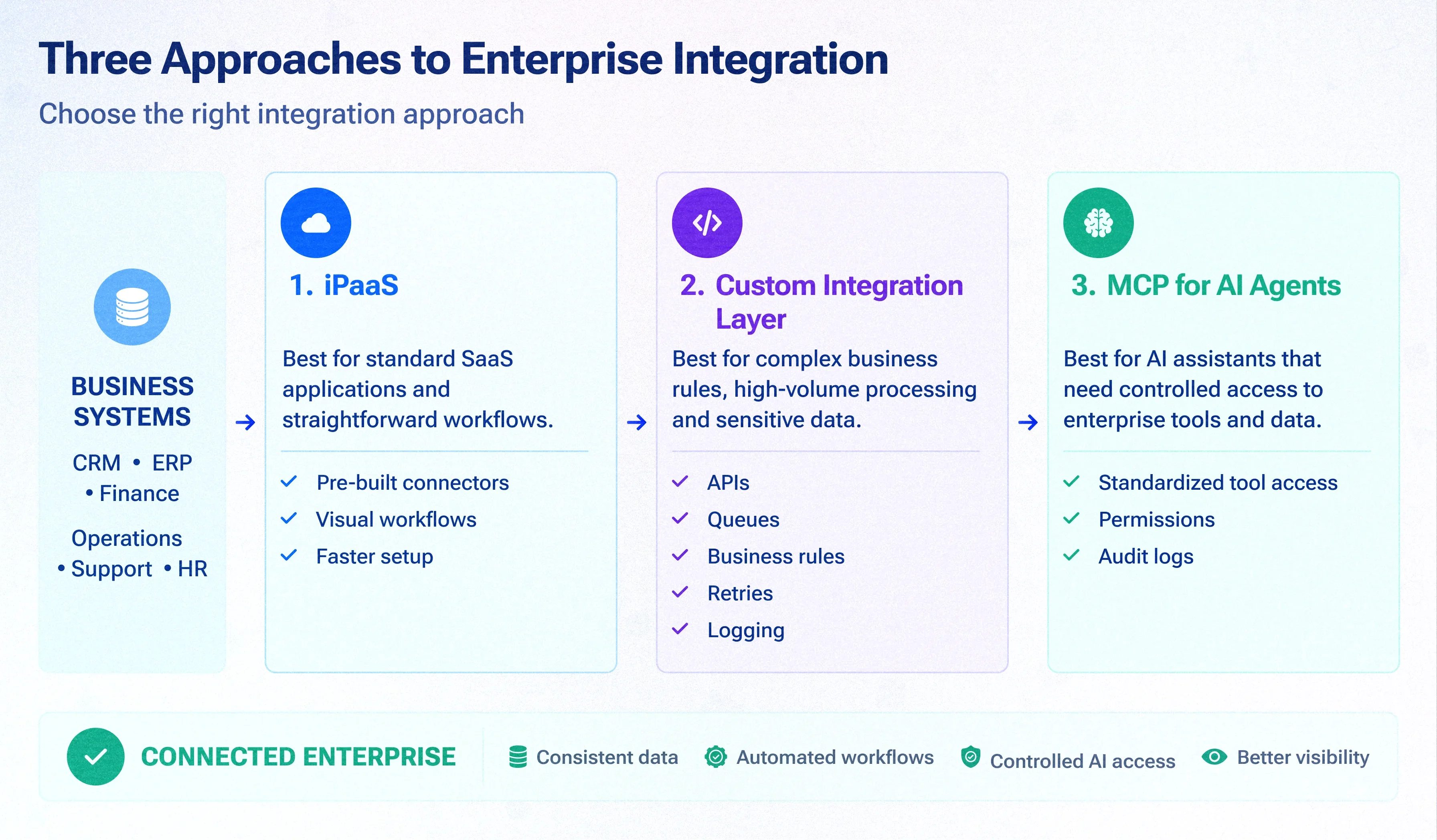
An iPaaS is a cloud platform with ready-made connectors and visual workflow builders for linking business applications. Well-known examples include MuleSoft, Boomi, Workato, and, for smaller workloads, Zapier and Make.
- Strengths : fast to start; hundreds of pre-built connectors; non-developers can build simple flows; the vendor maintains the connectors.
- Limits : per-task or per-connection pricing grows with volume; complex business rules become hard to maintain in visual builders; you depend on the vendor's connector for each system; sensitive data passes through a third party.
- Best for : standard SaaS tools with well-supported connectors, moderate volumes and simple, linear workflows.
Option 2: A custom integration layer
A custom integration layer is code your team owns, usually a set of APIs, queues and workers that sits between your systems. It handles field mapping, business rules, retries and logging exactly the way your processes need.
- Strengths : handles complex rules and high volumes; no per-task fees; data stays in your infrastructure; you own the code and can change it any time.
- Limits : higher upfront build effort; needs engineers to maintain; connectors for each system must be built or adapted.
- Best for : high-volume or business-critical flows, complex rules (pricing, approvals, multi-step orders), legacy or in-house systems with no off-the-shelf connector, and sensitive data. See our CRM integration services for how we build these.
Option 3: MCP, connecting AI agents to your systems
The Model Context Protocol (MCP) is an open standard, introduced by Anthropic in November 2024 and since adopted across major AI platforms, that defines how AI models and agents connect to tools and data. An MCP server exposes a system's actions, such as "look up customer" or "create invoice", in a standard way any MCP-compatible AI assistant can use.
MCP doesn't replace integration between your systems; it gives AI agents a safe, consistent way to use them. In practice, companies put an MCP layer on top of their integration hub, so an AI agent can read and act across CRM, ERP and support through one controlled interface, with permissions and logging.
Best for : companies planning AI assistants or agents that need to read or update business data across departments.
iPaaS vs custom integration layer vs MCP: comparison
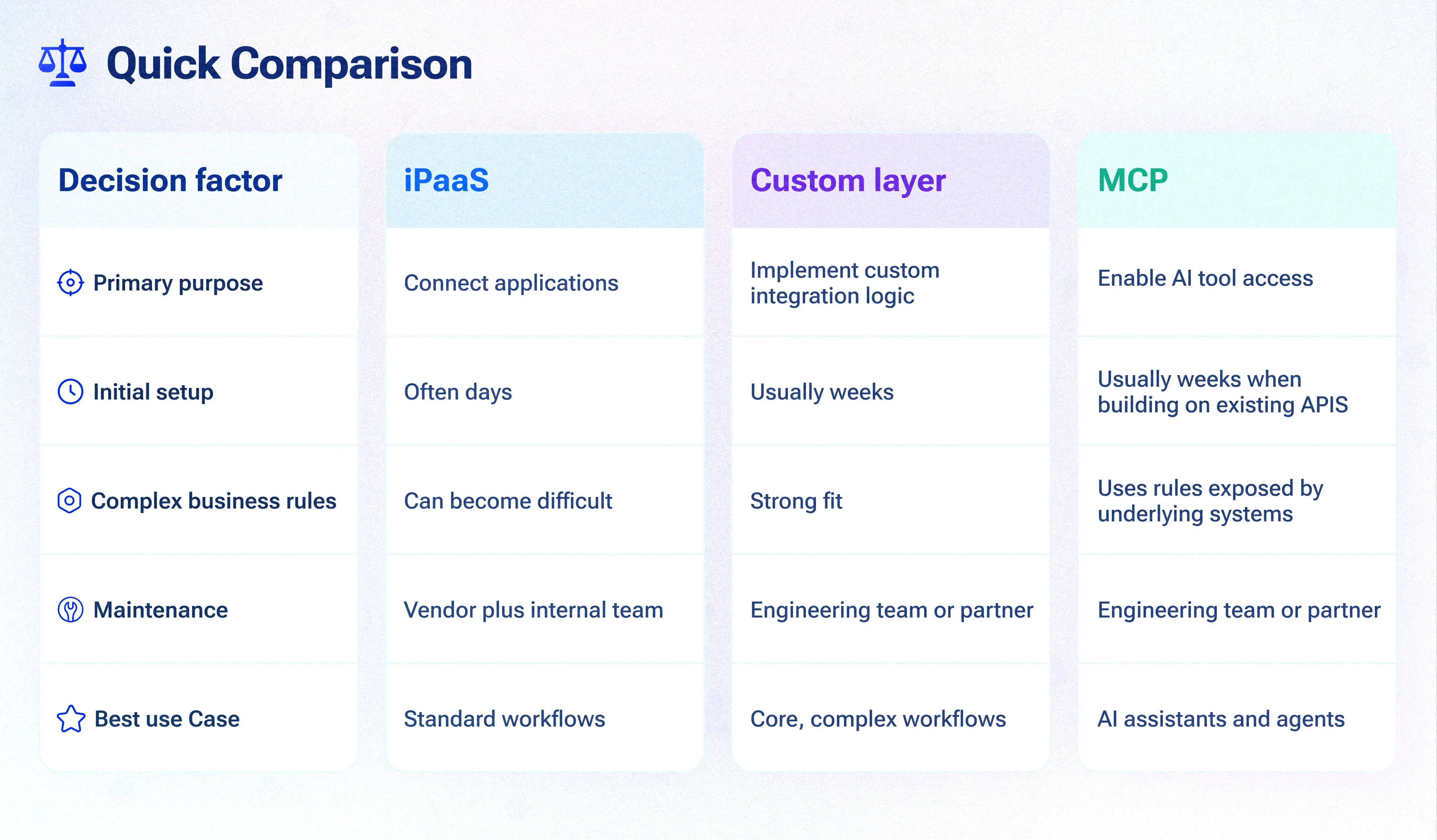
| Factor | iPaaS | Custom integration layer | MCP layer |
|---|---|---|---|
| Main job | Connect SaaS tools to each other | Connect any systems with your own rules | Let AI agents use your systems safely |
| Time to first integration | Days | Weeks | Weeks (on top of existing APIs) |
| Cost model | Subscription plus per-task or per-connection fees | One-time build plus hosting and maintenance | Build cost; runs on your infrastructure |
| Complex business rules | Hard to maintain at scale | Strong | Uses rules from the systems behind it |
| Legacy or in-house systems | Limited | Strong | Strong, once an API exists |
| Data control | Passes through vendor | Stays in your infrastructure | Stays in your infrastructure |
| Who maintains it | Ops or IT team plus vendor | Your engineers or a partner | Your engineers or a partner |
How to choose: a decision guide
Answer these five questions:
Decision guide
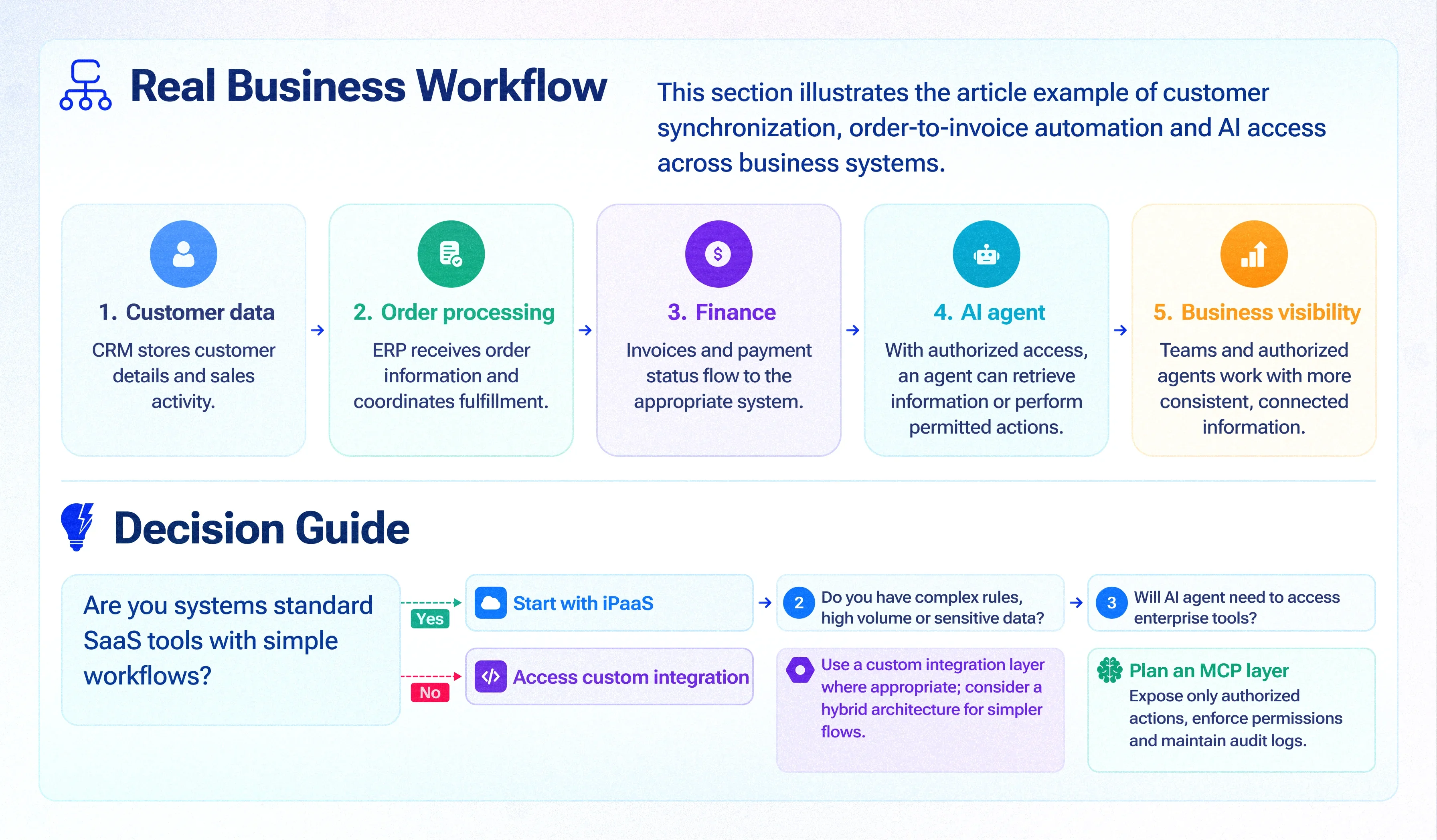
- Are your systems mostly mainstream SaaS with good connectors? Yes → start with an iPaaS.
- Do any flows carry high volume or complex rules (pricing, approvals, multi-step orders)? Yes → build those in a custom layer.
- Do you run legacy or in-house software without connectors? Yes → custom layer, with APIs added to those systems.
- Is the data regulated or sensitive (health, financial, personal)? Yes → prefer a layer in your own infrastructure.
- Are AI agents on your 12-month roadmap? Yes → plan an MCP layer on top of whichever hub you choose.
What it costs to connect enterprise systems
| Approach | What you pay for | Indicative cost |
|---|---|---|
| iPaaS | Annual subscription plus usage (tasks, connections or records) | USD 5,000–50,000+ per year plus usage (check current vendor pricing) |
| Custom integration layer | Build per integration, then hosting and maintenance | USD 8,000–25,000 per integration, then hosting and support |
| MCP layer | Build per system exposed to AI, then maintenance | USD 10,000–30,000 per system exposed |
The biggest cost drivers are the number of systems, data volume, how complex the business rules are, and whether the systems already have usable APIs.
A 90-day plan to connect your departments
90-day plan
- Weeks 1–2: Map. List every system, the data each owns, and the manual hand-offs between teams. Rank hand-offs by hours lost and errors caused.
- Weeks 3–4: Decide. For each top hand-off, choose iPaaS, custom or both, using the decision guide above. Agree which system is the source of truth for each record.
- Weeks 5–10: Build the first two flows, usually customer sync between CRM and ERP, and order-to-invoice. Add monitoring and alerts from day one.
- Weeks 11–13: Measure and extend. Compare hours saved and error rates, then add the next flows and, if planned, an MCP layer for AI agents.
Common mistakes to avoid
Mistakes to avoid
- No source of truth. If two systems both "own" the customer address, sync conflicts never end. Decide ownership per field first.
- Silent failures. Every integration needs logging, retries and alerts; otherwise errors surface weeks later in a customer complaint.
- Connecting everything at once. Start with the two hand-offs that cost the most time.
- Giving AI agents unrestricted access. Expose only the actions an agent needs, with permissions and an audit trail.
When custom enterprise software is the better answer
Sometimes the right fix isn't connecting more tools but replacing several of them. If teams are paying for overlapping products and spending more time syncing them than using them, one custom system can be simpler. See our enterprise software solutions and examples of enterprise software for what that looks like.